How brand, data, and reuse help ideas move past the demo phase
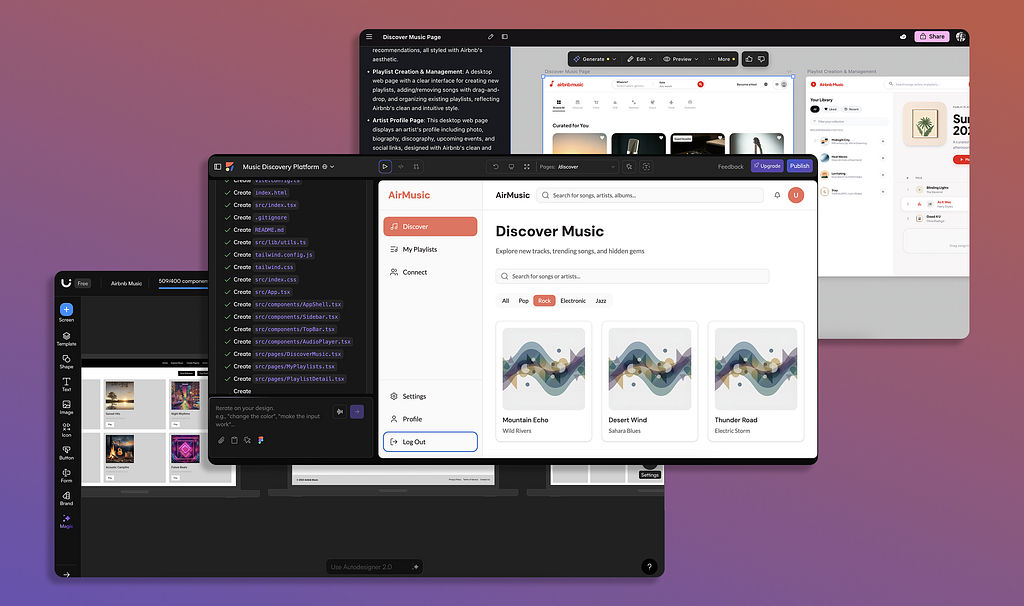
As designers, we know there are many tools at our disposal to create AI-generated UI, like Lovable, Anima, and Uizard. There has been a lot of progress in this space, with AI output at unthinkable speeds and of unprecedented quality. But still…most of it feels short-lived and unusable.
The generated screens look convincing, but they’re treated as placeholders instead of starting points in the ideation process. For instance, when a generated screen needs to reflect a brand’s styling, handle real data, or align with existing patterns, the work has to be rebuilt (and the generated UI is tossed).
This is simply a mismatch between how UI is generated in AI tools and how products are actually built. So instead of avoiding constraints such as branding and data, they need to be integrated into the generation process. This way, the UI becomes more valuable and can be used to continue to iterate past a demo or proof of concept (POC) phase.
Let’s look at 3 constraints (brand styles, data, and pattern reuse) that separate generated UI that gets discarded versus UI that is used end-to-end in the product development cycle
Start with a brand versus restyling later
AI-generated screens typically use visual styles that are neutral, like system-default colors and typography. Though the UI feels “close enough,” it’s not truly accurate to your product’s brand (or any other brand you want to test). And once real branding is introduced, the UI designs break down from the gaps created from the neutral styling used during generation.
This ultimately causes rework to better incorporate the product’s branding (either restyling elements or starting over completely). To avoid this issue, brand alignment must become part of the initial AI prompt versus being considered as extra steps to fix in later stages.
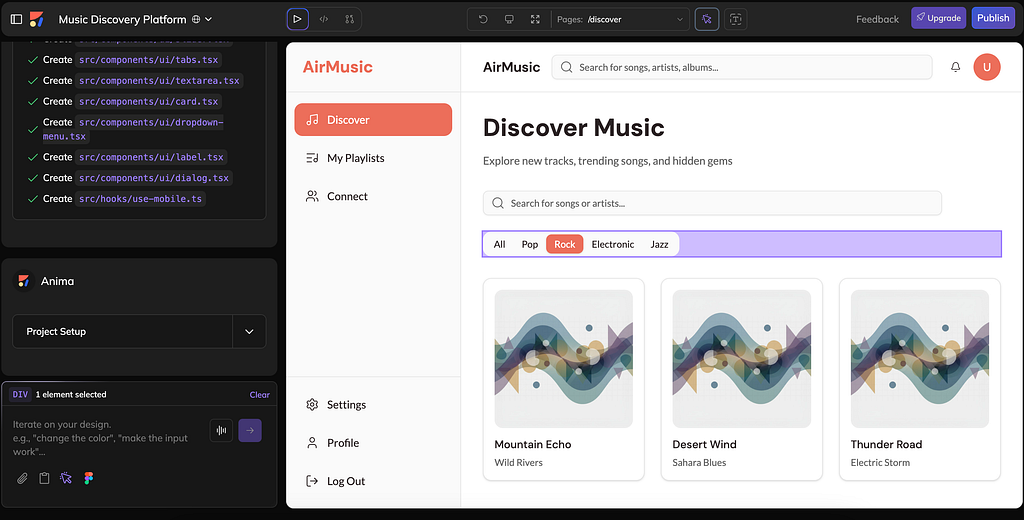
But generating UI with brand context doesn’t eliminate design judgment– it more so reduces how much work gets discarded. When generated UI reflects a real brand early in the design or ideation process, it becomes something teams can refine rather than replace.
How to integrate branding and generated UI
Many of the AI tools we already know are beginning to account for specific brand inclusion:
- Anima: With Anima Playground, you can generate an application using the visual language of an existing brand. Just write the app you want to build, along with the brand to use as inspiration (from your own brand to Airbnb’s). You can also refine individual UI elements or adjust inline copy without regenerating the designs again and again.
- Uizard: Uizard’s Auto-designer allows you to write a text-based prompt, then select a style (from a screenshot, URL, or brand kit). After the designs are generated, you can modify elements and generate themes.
- Google Stitch: Similar to the other tools, Google Stitch generates screens based on your prompt, which can include brand styling. Stitch’s output is solid, but you cannot modify individual elements; you can only use an entire screen as reference for modification requests.
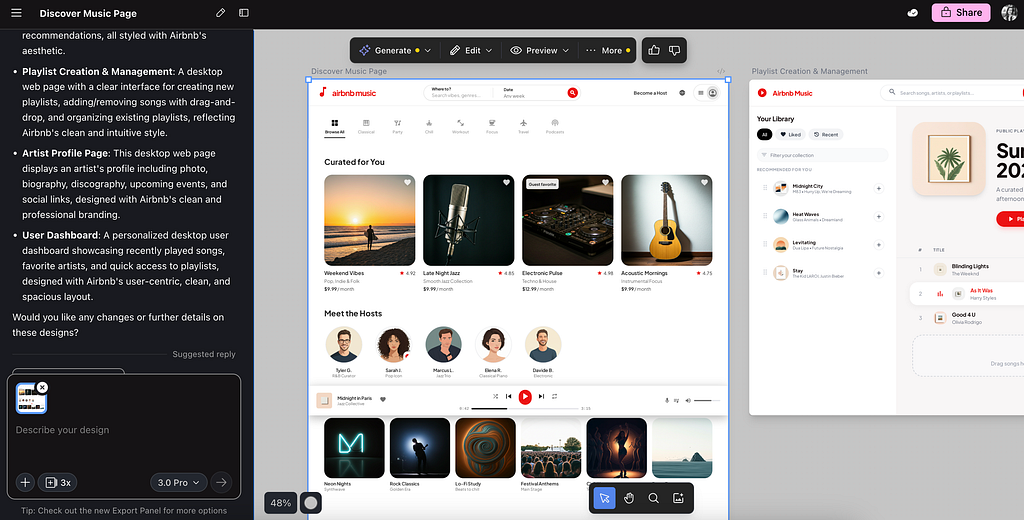
Note: Some of the tools, like Anima, generate the UI with flexibility and can be restyled with different branding inspirations without rebuilding the entire layout. So you can easily compare visual directions or get stakeholder feedback.
Benefits of branding from the start
- Faster alignment: Introducing brand context early reduces the gap between initial concepts and stakeholder expectations (shifting feedback away from styling and toward design intent)
- Comparison between directions: Applying different brand styles to the same layout makes it easy to evaluate options without redesigning the experience each time
- Less restyling later: When typography, colors, and tone are set from the start, teams spend less time retrofitting as the design evolves
Limits of branding with AI tools
- Surface-level branding: AI-driven branding captures visual cues like color and type, but doesn’t replace a deeper Design System
- Accessibility and content review: Generated UI still needs to be manually reviewed and validated by designers for accessibility and content standards
Apply real data to reveal if the UI actually works
Screens that have been generated with AI typically use mock data as placeholder content. Though mock data helps teams understand the design idea, it also masks the hardest UX problems. Not every user goes through the ideal, “happy path”…they will encounter empty states, error flows, and permission rules.
These unexpected, but common scenarios don’t show up in static screens, which means early designs can give a false sense of readiness. Without real data and content driving interactions, product teams discover these gaps late in the design and development process.
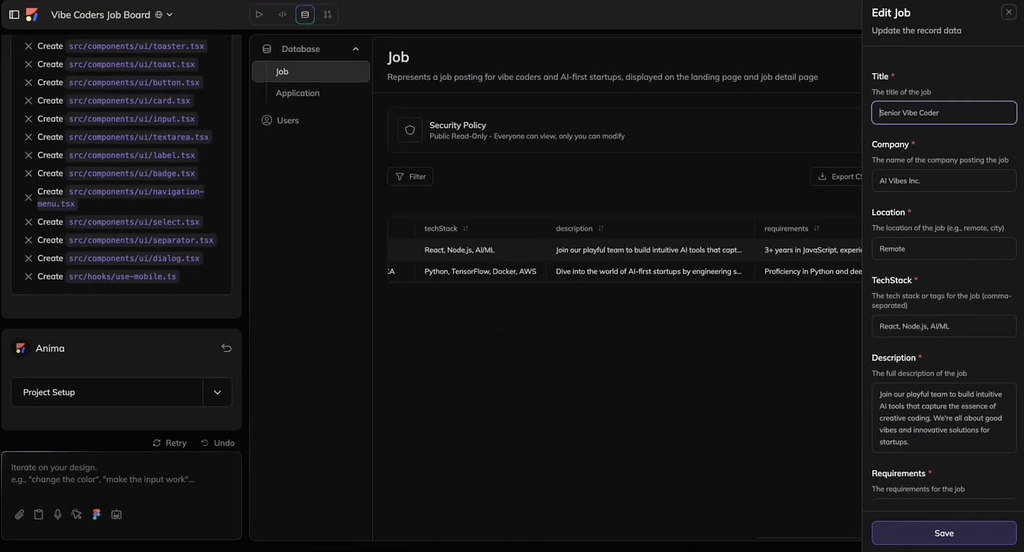
Though this doesn’t replace user-centered design thinking, it ensures ideas are grounded in authentic user behavior from the beginning of the design process. So by integrating real data into the generated UI, teams can see whether interactions work, content fits, and user permissions behave as expected. This is especially important when features rely on user input, authentication, or content submission.
How to include real data with generated UI
With the right AI tools, you can replace placeholder content for real data:
- Anima: You or your team can describe the data a feature needs in Anima’s Playground text prompt, and the system will generate databases and/ or tables based on the instructions. The data will be connected to the project and will automatically come with default security policies that match the intended usage.
- Cursor: With Cursor, you can integrate your codebase (GitHub or GitLab) to give AI more context, as well as connect MySQL database to create elements like tables.
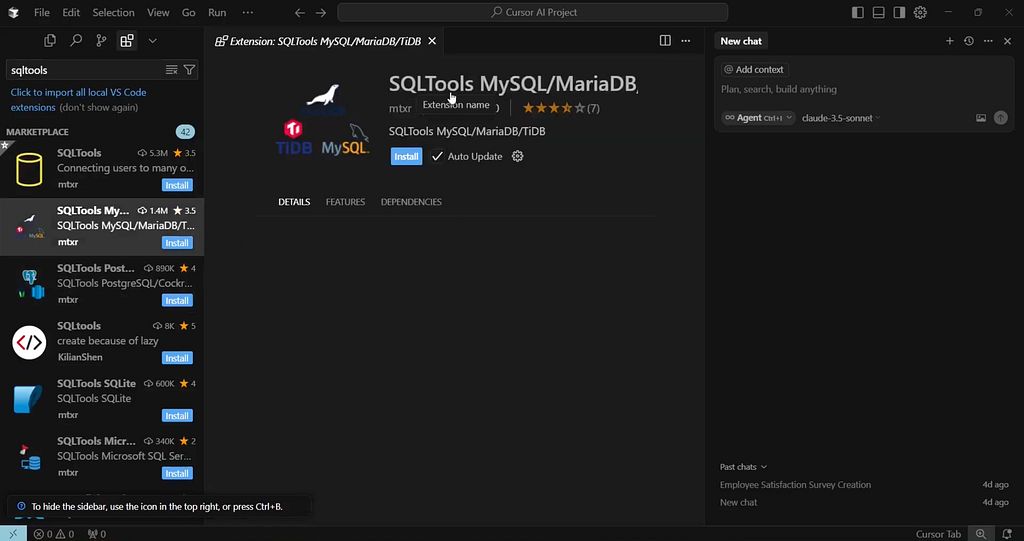
Note: With Anima, just about anyone can create a database (even with no code knowledge). On the other hand, Cursor’s MySQL setup process is more technical and hands-on.
Benefits of using real data
- Discover problems early: Testing with real content surfaces UX gaps (like validation and edge-cases) before they become costly rework later
- Clear sense of readiness: When screens behave with actual data, it’s easier to know what’s ready for iteration versus what’s purely visual
- Reduced throwaway: By grounding UI in common behavior from the start, teams rely less on static mockups that will probably be discarded
Limits of integrating real data
- Developer input: Complex tables, queries, or structured data often need manual configuration beyond what AI can create
- Premature focus on data: Focusing on data structure before validating broader design concepts can distract from testing core user flows
Reuse and build off familiar patterns
Many product teams rely on established UI components and patterns that AI ignores when generating screens. So teams have to rebuild or replicate familiar components, which adds unnecessary work and risks inconsistency.
When screens don’t leverage existing assets or common interaction patterns, they won’t integrate with the rest of the product ecosystem. When AI can build off trusted patterns and components from the start, the generated UI becomes more durable, consistent, and easier to refine.
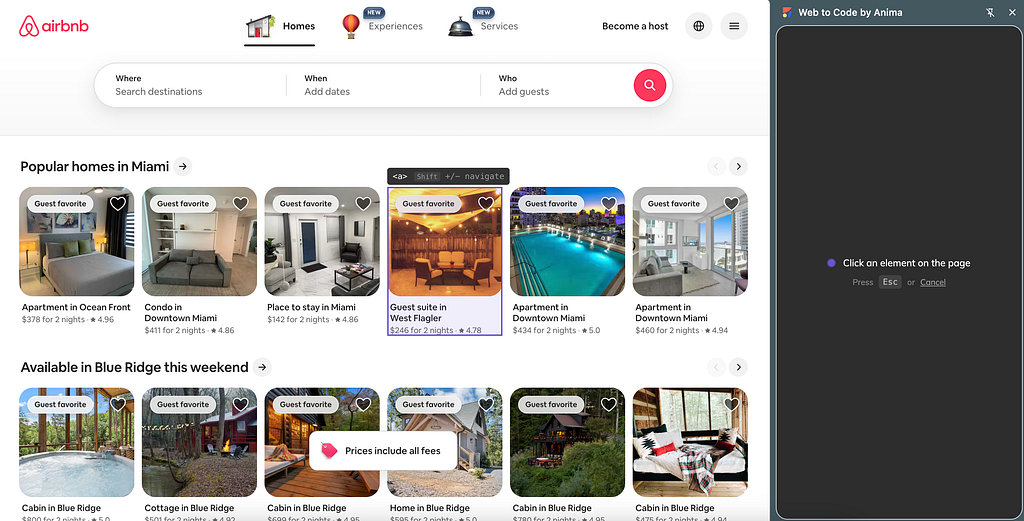
How to reuse what already exists
Tools that allow you to grab existing elements to use in your generated UI:
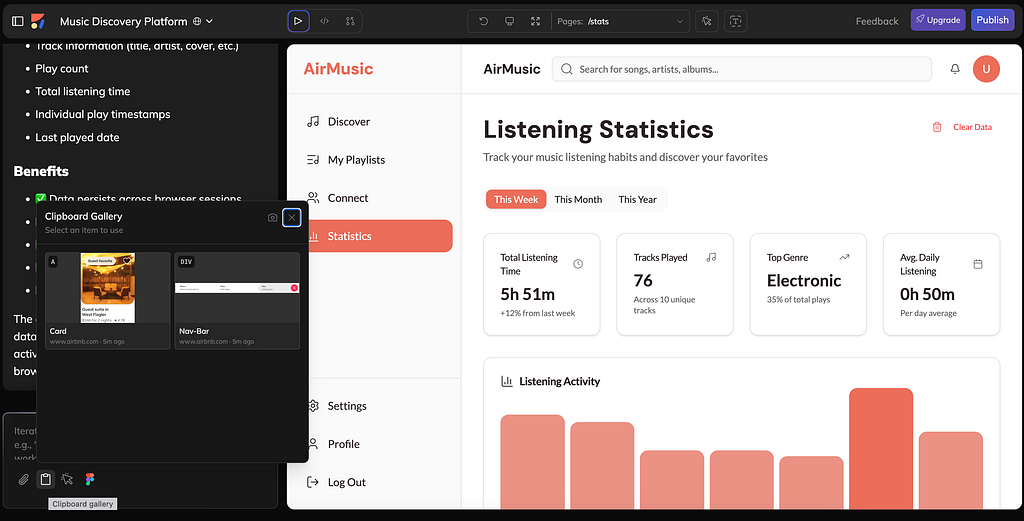
- Anima: In Anima’s Chrome extension, you can capture UI components directly from live websites using the Clipboard feature. You can select individual elements or entire <div> containers, then mix them with your generated screens to combine your ideas with proven patterns.
- YoinkUI: With the YoinkUI Chrome extension, you can select any UI element from a live website, modify it in the YoinkUI editor, then export it to use it in your project. Similar to Anima, you can mix and match your components with existing patterns.
- KwikUI: KwikUI has a KwikSnap Chrome extension that lets you screenshot webpages to web elements. After screenshotting, you can convert the images into coding prompts within KwikUI for more context-based output.
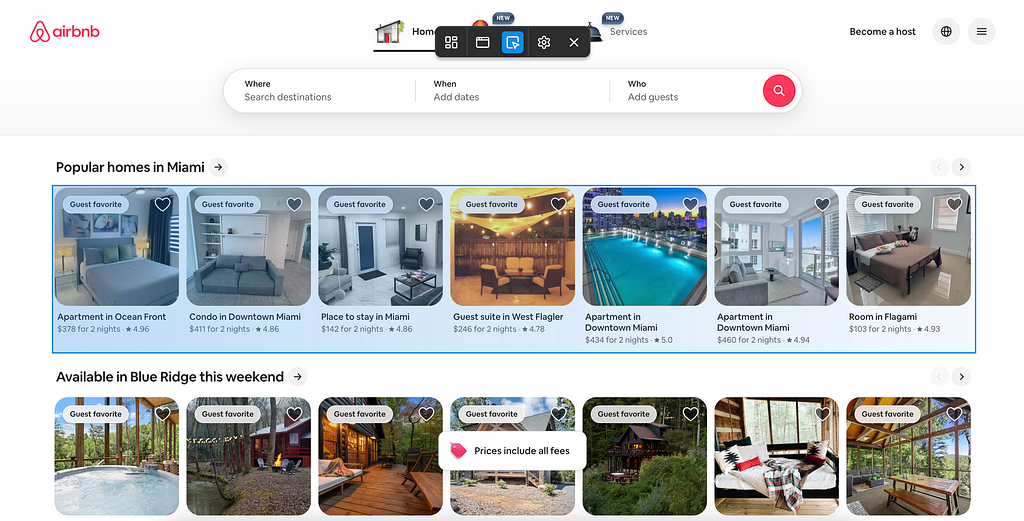
Note: After capturing UI elements from the site of your choosing, you can select the Clipboard Gallery button in Anima Playground’s prompt to insert them into your generated screens.
Benefits of reusing familiar patterns
- Faster iteration: Designers can leverage existing UI and patterns, which reduces the need to recreate components from scratch
- Continuity across projects: Reused components help maintain a consistent look and feel; even generated and manual UI are combined
- Reduced cognitive load: Familiar patterns make it easier to evaluate new screens and maintain predictable interactions (for both product teams and end users)
Limits of reusing patterns
- Captured UI may need adaptation: Elements from other sites may require cleanup or adjustment to fit the current project’s needs
- Legal and licensing: Reusing UI from external sources may require extra consideration to copyright or usage rules
Conclusion
Generated UI begins to show actual value when it holds up under real-world constraints; not simply from its delivery speed or trendiness. Brand alignment, real data, and reuse makes early concepts sturdy, reliable, and less prone to be thrown away. These 3 constraints allow product teams to continue to iterate on generated UI instead of regenerating or starting from scratch.
As AI tools like Anima and Lovable continue to evolve, their progress will be shown in how usable their output is past the demo phase (rather than producing work that will be discarded). Because when AI-generated work fits into product workflows and design constraints, it will start becoming part of the product development cycle.
What makes generated UI worth keeping? was originally published in UX Collective on Medium, where people are continuing the conversation by highlighting and responding to this story.