This post is brought to you in paid partnership with Dell
Remote and hybrid work have changed what people expect from a laptop. Most professionals are no longer working from a single desk all day. A typical workflow now involves morning Zoom or Microsoft Teams calls, browser tabs running alongside Slack and email, and moving between home, the office, cafés, and even airports without disrupting productivity.
Because of this shift, the modern remote work laptop needs to do more than simply handle basic office tasks. It needs to stay responsive during multitasking, deliver reliable battery life for all-day productivity, and remain portable enough for hybrid work routines. Webcam quality, display comfort, and AI-assisted workflow optimization have also become increasingly important as video meetings and cloud-based collaboration continue to dominate daily workflows.
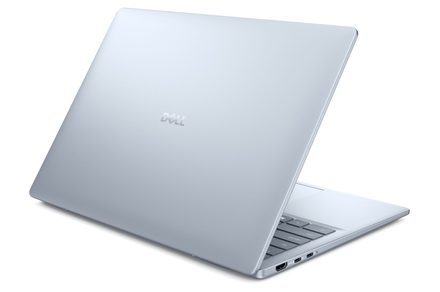
Systems like the Dell 16 Plus, Dell 14 Plus, XPS 14, and XPS 16 are designed around these evolving work habits. Instead of focusing only on specifications, modern Dell systems increasingly prioritize workflow flexibility, mobility, and uninterrupted productivity across different environments.
What actually matters in a remote work laptop today?
A good remote work laptop is not defined by a single feature anymore. Hybrid work has made flexibility equally as important as performance. The best systems are the ones that can adapt smoothly to changing workflows throughout the day without slowing down productivity.
Here are the features that matter most in a modern remote work laptop:
Battery Life
Remote workers often spend hours away from charging points while traveling or working from cafés and co-working spaces. Reliable battery life helps maintain uninterrupted productivity throughout the day.
Multitasking Performance
Modern workflows involve several applications running simultaneously. A laptop should comfortably handle browser tabs, Slack, spreadsheets, cloud apps, presentations, and video calls together without lag.
Responsiveness
Delays while switching between applications or joining meetings can quickly become frustrating. Faster responsiveness helps workflows feel smoother and more consistent.
Portability
Hybrid work often involves moving between locations. Lightweight systems with slimmer designs are easier to carry during commutes, travel, and flexible work routines.
Webcam and Audio Quality
Video conferencing is now central to remote work. Better webcams and clearer microphones improve communication quality during back-to-back meetings.
Display Comfort
Long work sessions can create fatigue. Comfortable displays with better brightness management and clearer layouts help reduce strain during extended productivity sessions.
AI-Assisted Workflows
AI-powered optimization is becoming increasingly useful for multitasking, battery management, and video call enhancement. Instead of manually managing system performance, newer AI PCs can automatically optimize workloads depending on usage.
Systems like the Dell 16 Plus and Dell 14 Plus naturally fit into these workflows by balancing portability, productivity, and mobility. The Dell Plus lineup focuses on supporting modern hybrid work routines rather than simply maximizing specifications. The XPS 14 also fits naturally into premium productivity workflows where users need stronger multitasking flexibility alongside portability and long work-session comfort.
Why multitasking and responsiveness matter for remote work
Remote work rarely happens inside a single application anymore. Most professionals spend their day jumping between Microsoft Teams or Zoom calls, Slack conversations, browser tabs, spreadsheets, presentations, and cloud collaboration tools.
That makes multitasking responsiveness one of the most important aspects of a productivity laptop. A typical workflow may involve attending a video meeting while editing a presentation, replying to messages, and reviewing spreadsheets at the same time. Even small delays while switching between apps can interrupt focus and slow down productivity.
Systems like the Dell 16 Plus are designed to support these types of multitasking-heavy workflows. Larger displays also make it easier to keep multiple windows visible simultaneously, reducing the need to constantly minimize or switch between applications.
The XPS 14 fits naturally into workflows where users want stronger responsiveness alongside portability. This becomes useful for professionals balancing productivity applications with heavier browser usage, larger presentations, and more demanding multitasking environments.
Responsiveness also affects meeting quality. During a Teams or Zoom call, the laptop is often managing the webcam feed, browser tabs, shared screens, cloud documents, and messaging apps simultaneously. Systems that struggle under those workloads can create interruptions that affect collaboration.
This is where AI-assisted optimization is becoming increasingly useful. Newer Dell AI PCs can dynamically manage resources depending on workload demands. Instead of manually adjusting settings, the system can prioritize active applications and optimize performance automatically.
That matters because remote work is unpredictable. One moment may involve quiet document editing, while the next requires handling multiple collaborative tools during a large video meeting. A laptop that can adapt smoothly to those changing workflows ultimately creates a more seamless remote work experience.
For professionals who handle even heavier multitasking or crossover productivity workloads, the XPS 16 can also fit naturally into more demanding hybrid work setups where additional screen space and workflow flexibility become useful.
How battery life and portability affect hybrid work
Hybrid work has made portability one of the most important laptop considerations today. Many professionals now split their time between home offices, company workspaces, cafés, airports, hotels, and co-working environments throughout the week.
A laptop that feels too bulky or struggles to stay away from a charger can quickly become inconvenient in those situations.
Battery life plays a major role in maintaining uninterrupted productivity during travel and flexible work sessions. Long meetings, flights, or café workdays often mean users cannot always rely on immediate access to charging points.
The Dell 14 Plus is positioned naturally around lighter hybrid workflows where mobility becomes a priority. A more portable form factor makes it easier to move between work environments without adding unnecessary weight or complexity to everyday routines.
The XPS 14 also works well in hybrid work environments where users want premium portability alongside stronger productivity performance. Slimmer systems with reliable battery optimization help users continue working comfortably during travel or away from a traditional desk setup.
Portability is not only about physical weight. It also affects convenience during everyday workflows. A system that is easier to carry, quicker to open during meetings, and more comfortable to use across different environments naturally fits better into hybrid work routines.
That flexibility has become increasingly important because many professionals no longer work from a single fixed setup every day. Modern productivity laptops now need to support work wherever it happens.
Why AI features are becoming more useful for remote workers
AI features in laptops are becoming more practical because remote work increasingly depends on multitasking, video conferencing, and workflow efficiency.
Instead of functioning as separate tools, many AI-powered features now work quietly in the background to improve the overall user experience.
For remote workers, AI-assisted productivity can help optimize battery usage, improve video conferencing quality, reduce distractions, and maintain smoother performance during heavier workloads.
One of the biggest benefits involves video meetings. AI-powered webcam enhancements can automatically improve framing, voice clarity, lighting balance, and background management during Zoom or Teams calls. These features become particularly useful during back-to-back meetings throughout the workday.
AI optimization also helps improve multitasking efficiency. During workflows involving spreadsheets, messaging apps, presentations, and browser tabs simultaneously, AI-assisted resource management can help systems remain responsive without requiring constant manual adjustments.
Systems like the Dell 16 Plus and Dell 14 Plus are part of Dell’s broader AI PC approach focused on smoother productivity experiences and workflow optimization.
Battery optimization is another increasingly useful benefit. AI-assisted systems can intelligently manage performance depending on workload demands. During lighter workflows, the laptop can improve efficiency and reduce unnecessary power usage while still maintaining responsiveness when heavier tasks begin.
AI-assisted workflows are also helping reduce distractions. Features like background noise reduction during calls, automatic camera enhancements, and smarter workload balancing can improve productivity without users actively managing settings throughout the day.
The key difference is that these features focus on practical workflow improvements rather than abstract AI concepts. For remote workers, the most useful AI experiences are the ones that help meetings feel smoother, multitasking feel faster, and day-to-day workflows feel less disruptive.
What display and webcam features improve remote work?
Display quality and webcam performance now play a major role in remote productivity. Most professionals spend hours every day attending meetings, reviewing documents, managing spreadsheets, and multitasking across several windows simultaneously.
A display that feels cramped or uncomfortable during long work sessions can directly affect productivity and fatigue. Larger displays help improve multitasking visibility by making it easier to keep multiple applications open side-by-side. This becomes especially useful during workflows involving spreadsheets, presentations, browser tabs, and video conferencing together.
The Dell 16 Plus naturally supports these productivity-focused workflows because additional screen space improves visibility during multitasking-heavy work sessions. The XPS 14 focuses more on balancing portability with premium display quality for professionals spending long hours working across multiple applications.
Display comfort is equally important. Better brightness management, sharper visuals, and eye-comfort-focused technologies can help reduce fatigue during extended workdays. Webcam quality also matters significantly in hybrid work environments. Back-to-back meetings have become a normal part of many workdays, making camera clarity and microphone quality increasingly important for communication.
AI-assisted webcam features can further improve video conferencing quality by helping with framing, background effects, and voice clarity during meetings. These smaller improvements can make remote collaboration feel smoother and more natural over time. For professionals constantly moving between meetings, multitasking workflows, and long productivity sessions, display comfort and webcam quality are no longer secondary features. They have become central parts of the remote work experience.
FAQ
What features matter most for remote work?
The most important features in a remote work laptop include battery life, multitasking performance, portability, webcam quality, display comfort, and responsiveness. Modern workflows involve video calls, browser tabs, cloud apps, and collaboration tools running simultaneously, so laptops need to handle these tasks smoothly throughout the day.
Is battery life important for hybrid work?
Yes. Hybrid workers often move between offices, cafés, airports, and home setups during the week. Strong battery life helps maintain productivity away from charging points and allows workflows to continue more comfortably while traveling or working remotely.
Are AI PCs useful for remote workers?
AI PCs are becoming increasingly useful because they help optimize everyday workflows automatically. Features like video call enhancement, battery optimization, workload balancing, and background noise reduction can improve productivity and reduce interruptions during remote work sessions.
What size laptop works best for remote work?
It depends on workflow priorities. Smaller systems like the Dell 14 Plus are easier to carry for hybrid work and travel, while larger laptops like the Dell 16 Plus provide more screen space for multitasking and productivity-heavy workflows.
Do remote workers need dedicated graphics?
Most remote workers do not need dedicated graphics for standard productivity tasks like video conferencing, spreadsheets, presentations, and browsing. Dedicated graphics become more useful for heavier creative workloads or advanced multitasking environments.
Conclusion
Remote and hybrid work have reshaped what people need from a laptop. Modern productivity workflows now depend on reliable multitasking, smoother video conferencing, portability, battery life, and flexibility across different environments.
The most effective remote work laptops are the ones that can adapt naturally to changing workflows throughout the day without creating interruptions. Whether someone is attending meetings from home, working from a café, traveling between locations, or managing several applications simultaneously, consistency and responsiveness matter more than ever.
AI-assisted optimization is also becoming increasingly relevant because it helps improve everyday productivity in practical ways. Smarter video conferencing, automatic workload management, and better battery optimization can help remote work feel smoother and less distracting over time.
Systems like the Dell 16 Plus, Dell 14 Plus, XPS 14, and XPS 16 align naturally with these modern workflow expectations by balancing portability, productivity, and flexibility across hybrid work environments.
This content is paid for by the brands indicated. Digital Trends works closely with advertisers to highlight their products and services to our readers. Although this article is informational and not opinionated, it reflects thorough fact-checking by our team to ensure accuracy. Our dedicated partnerships team, not external advertisers, crafts all branded content in-house. For more information on our approach to branded content, click here.