Why AI sent us back to the command line — On direct manipulation, visual intent, and the regression of AI tooling.
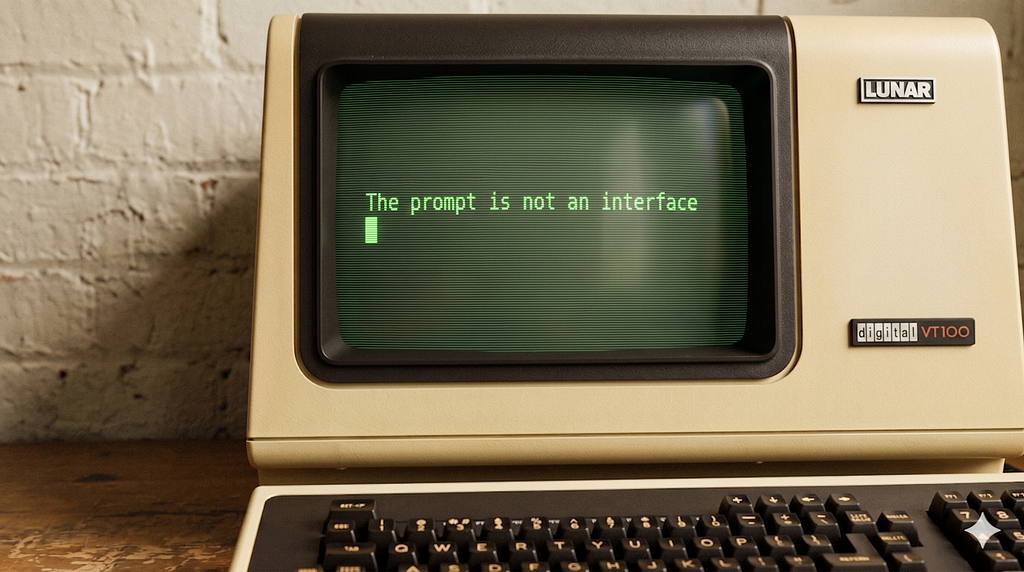
“Seeing comes before words. The child looks and recognises before it can speak.” — John Berger, Ways of Seeing, 1972 [1]
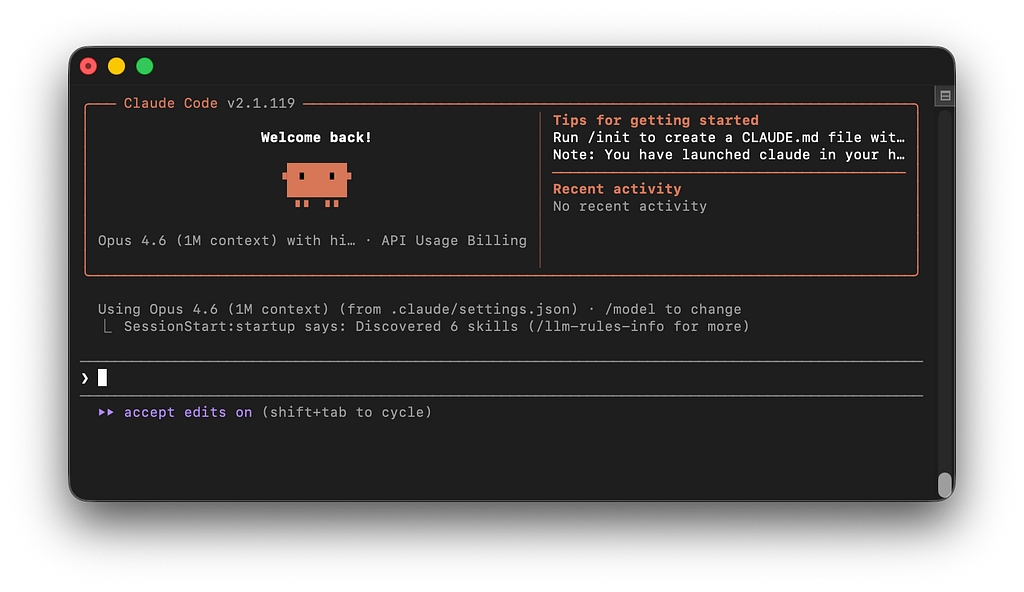
The most advanced artificial intelligence systems in history now ask us to communicate through a blinking cursor in an empty text box.
We have, in the most literal sense, gone backwards.
For the last forty years, the entire trajectory of interaction design has been a movement away from the command line and toward direct manipulation. We moved from typing instructions to pointing, clicking, dragging, and seeing the results immediately. We built interfaces that showed us what was possible rather than demanding we memorise a syntax. Then, with the touchscreen, we removed even the mouse, the most direct manipulation yet, a finger on glass, the interface collapsing to almost nothing between intention and action.
Then AI arrived, and we threw it all away. We retreated to the exact paradigm that a generation of researchers spent decades trying to escape: type what you want, and hope you chose the right words.
This is a structural failure. For tasks that are inherently visual or spatial – layout, composition, colour, form, motion – the text prompt forces a translation that loses signal at every step. It asks creative professionals to abandon the visual systems they have used for centuries and communicate their intent through a medium structurally incapable of holding it.
To understand why this regression happened, and why it must end, we have to look at what we were escaping from in the first place.
First, the command line
The earliest computers were not personal. They were institutional machines operated by specialists, communicating through punched cards and paper tape. You submitted a job, waited hours, and collected your output. The machine and the human occupied entirely separate time zones.
The interactive terminal changed this. For the first time, a human and a computer could exchange information in the same session. But the interaction model it established was narrow and unforgiving: you typed a command in the correct syntax, the machine executed it, and the result appeared as text. No image, no spatial layout, no visual feedback. The screen was a scroll of characters, offering no overview of what had come before and no map of what was possible next. This was the world of C:> and A:>, of DIR and FORMAT and COPY. Powerful, but only for those who had memorised its vocabulary.
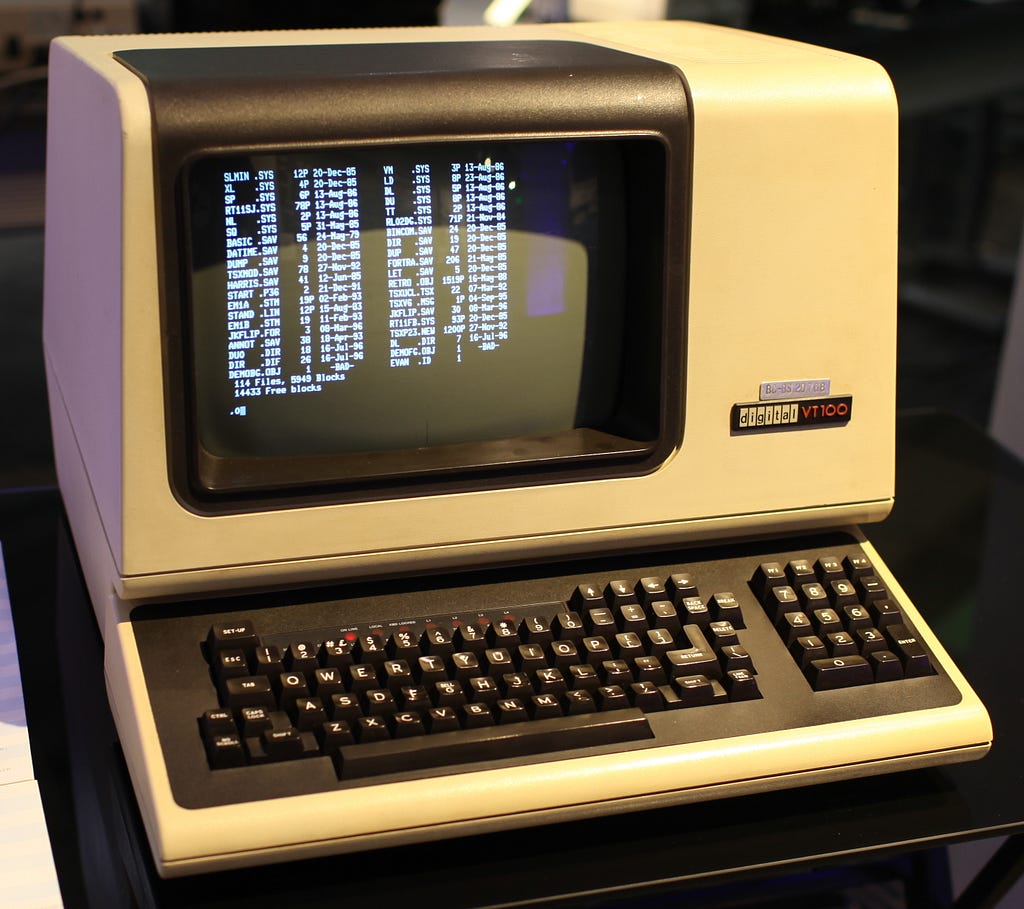
For the engineers who built these systems, the command line was not a problem. They had already paid the cost of learning. For everyone else, the cost was prohibitive. It was this exclusion that a generation of researchers set out to dismantle.
The invention we forgot
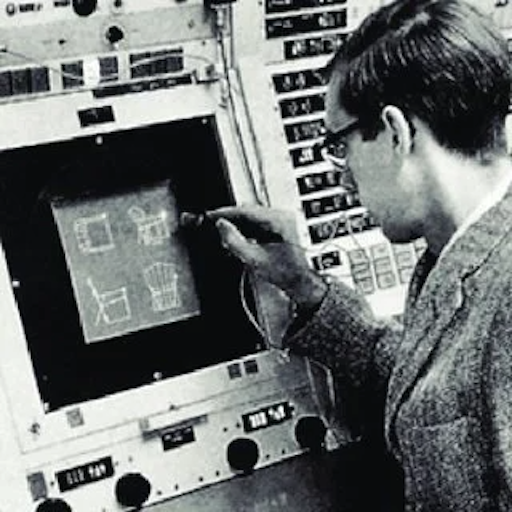
In 1963, Ivan Sutherland sat before a screen at MIT and drew a line with a light pen. The computer understood the line not as a string of characters, but as a shape with geometry, constraints, and spatial relationships. The system was called Sketchpad, and its subtitle told you everything: A Man-Machine Graphical Communication System. [2]
Sutherland’s insight was not that computers could display images. It was that humans and machines could communicate through drawing.
Douglas Engelbart’s 1968 “Mother of All Demos” demonstrated the mouse, hypertext, and windowed interfaces, all of which were premised on the same conviction: that visual, spatial interfaces augment human intellect in ways that typed commands cannot. [3]
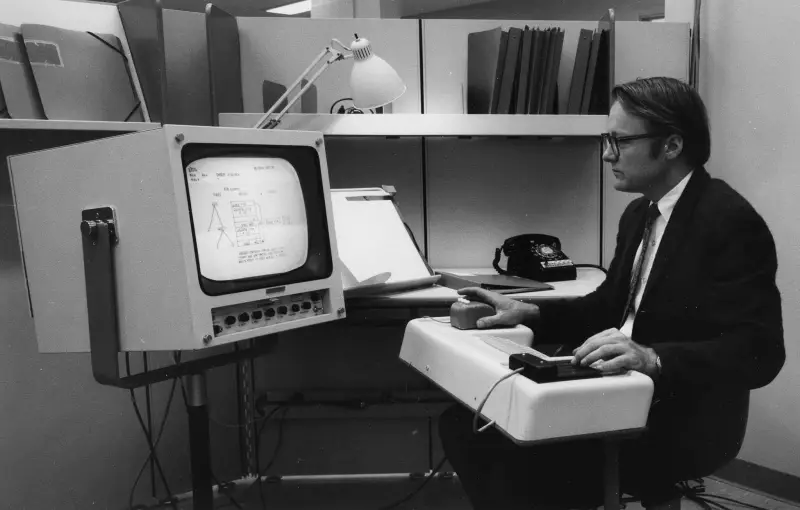
Taken together, they describe a single coherent argument: that the machine should meet the human, not the other way around.
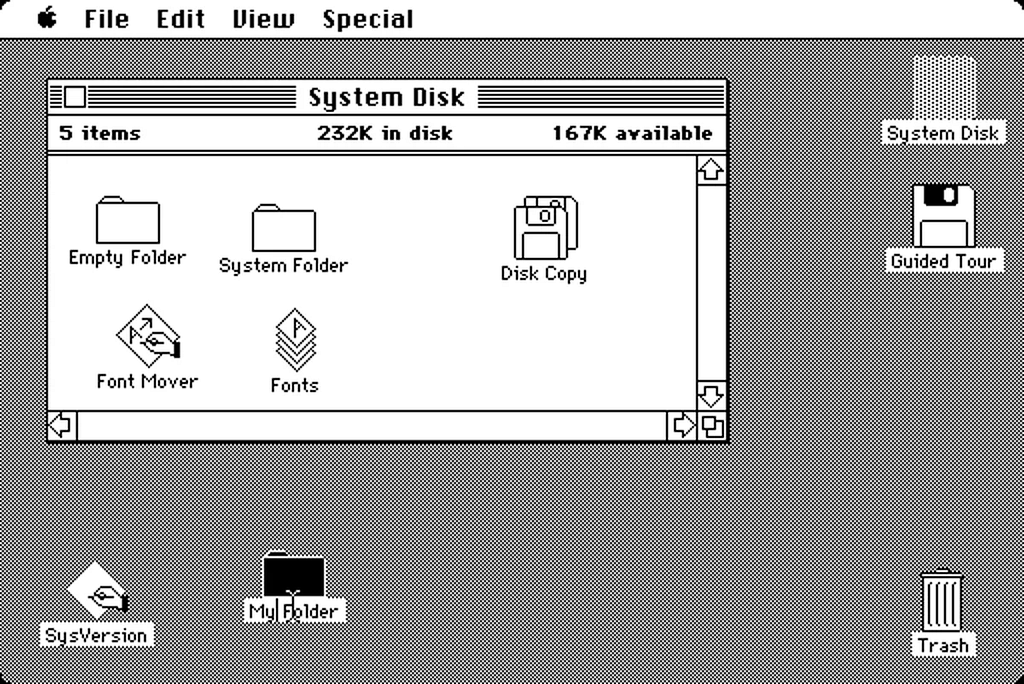
Then, on January 24, 1984, the Macintosh System 1 took these ideas into the living room. [4] No manual to memorise, no syntax to learn. The desktop was a metaphor anyone could read on sight: a folder looked like a folder, a trash can looked like a trash can. In the year that IBM’s PC still greeted its users with A:>, the Mac showed the world that computing could be as legible as a well-designed room. Every graphical interface from Windows 95 to iOS to Android descends from that insight.
Ben Shneiderman distilled the principles of interface design in his Eight Golden Rules in 1983: offer informative feedback, permit easy reversal of actions, reduce short-term memory load, keep users in control. [5]
The AI prompt interface violates almost every one of these principles.
No visibility of what the system can do, no incremental reversible actions, no spatial reasoning, no immediate manipulation of the thing you are trying to create. The text box communicates nothing about its own capabilities while asking the user to articulate everything from scratch. The prompt did not advance the interface. It retreated to the exact paradigm these researchers spent decades trying to escape.
The medium constrains the message
The problem is one of information loss.
In 1971, Allan Paivio proposed dual coding theory: humans process visual and verbal information through two fundamentally separate cognitive channels. [6]
Visual information is processed faster, retained longer, and communicates spatial relationships that language struggles to encode. Research at MIT has shown the human visual system can process an image in as little as thirteen milliseconds. [7]
The bandwidth of the visual channel is categorically different from the verbal one.
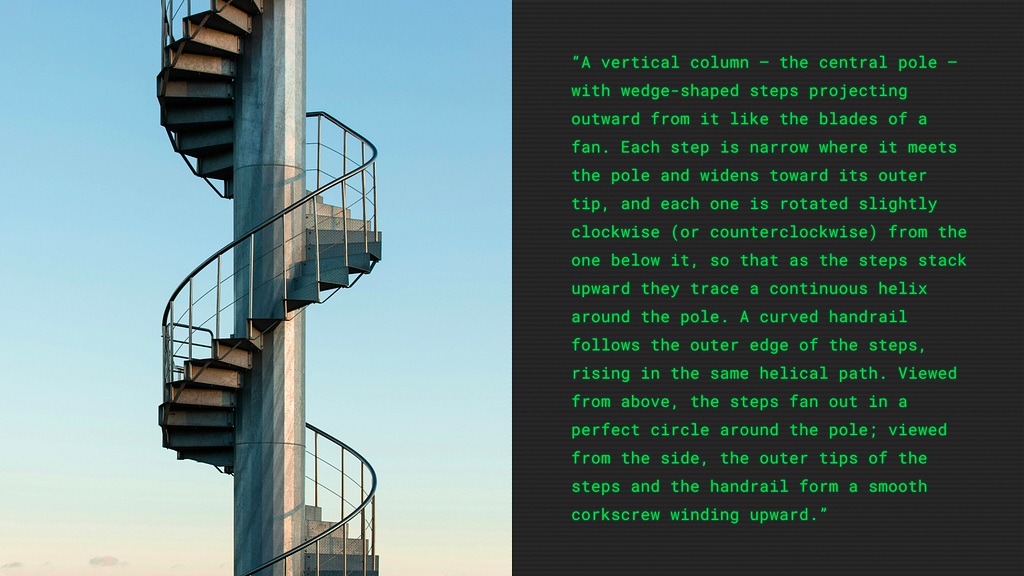
Try to describe a spiral staircase in words, without using your hands. A precise, unambiguous description that someone else could reconstruct. It takes paragraphs. It remains uncertain. Now draw one. The sketch takes seconds and communicates unambiguously. The drawing conveys information that language cannot efficiently encode at all.
Bret Victor named this problem with characteristic precision: the best interfaces allow you to see and manipulate the thing itself, not describe it through an abstraction layer. [8]
The chat-based AI interface asks you to convert sight into speech, and then hopes the machine can convert speech back into sight.
The engineering mindset and the command line default
The regression has structural causes. Large Language Models are, by definition, language models. Their native modality is text; the chat interface was the path of least resistance to ship a product around them. A text box is the minimum viable user interface. In the speed of the AI gold rush, it was also the maximum most companies were willing to invest in.
But there is a subtler factor at work: the culture of the people building these tools. The AI revolution is being led by software engineers, a discipline that is disproportionately comfortable with command lines. For an engineer, typed instructions are a natural, highly efficient mode of interaction. They view the command line as the ultimate expression of control: precise, unambiguous, powerful.

For a designer, an architect, a filmmaker, or a musician, those same typed instructions are a foreign language for native thought. The interface was designed, unconsciously, by and for people who think in text, to solve problems that can be expressed in text.
Text prompts are excellent for linguistic tasks. When the output is language, a language interface makes sense. The regression is specific to tasks that are inherently visual or spatial, layout, composition, colour, form, motion, where the text prompt forces a translation that loses signal at every step. We did not choose the chat interface because it was the best way to communicate with intelligence. We chose it because it was the fastest way to ship a product, built by people who already spoke its language.
The blank prompt and the death of affordance
The design theorist Don Norman spent decades articulating a simple idea: a well-designed object communicates how it should be used. [9]
A door handle affords pulling. A flat door plate affords pushing. The physical form tells you what to do.
A blinking cursor in an empty text box affords nothing. It is a demand without a suggestion, an invitation without a map. The user must already know what to ask for, which presupposes the expertise the tool was supposed to make unnecessary. There is no menu of capabilities, no visual indication of what is possible, no way to browse the possibility space before committing to a request. The user confronts a void.

The entire history of the graphical interface is a movement from ‘you must know the commands’ to ‘you can see the options’. From C:>DIR to a folder you can open with a click. AI has reversed this entirely. We are back at the command prompt, with better autocomplete and a more forgiving parser, but the fundamental interaction model is the same: type what you want and hope you chose the right words. Prompt engineering, the practice of crafting effective AI instructions, is the clearest symptom of this regression. It is, functionally, the new command-line syntax, a learned skill that reintroduces the expertise barrier that graphical interfaces spent forty years dismantling. [10]
The visual pre-language
Artists and designers have spent centuries developing systems of notation precisely because words fail them. When an architect needs to communicate the spatial reality of a building before it exists, they draw a plan, an elevation, a section. The architectural drawing is a visual language with its own grammar of line weights and projections. [11]
It exists because the geometry of a cathedral cannot be serialised into paragraphs without catastrophic information loss. When Disney needed to plan Snow White in the 1930s, animator Webb Smith did not write a script. He invented the storyboard: sketches pinned to a wall that allowed the team to see the film before they animated it. [12]
Even at the smallest scale, the thumbnail sketch remains the universal starting point for designers, rapid visual shorthand to test composition and hierarchy in seconds.
In every creative discipline, the highest form of planning is visual. These systems are the idea itself, encoded in the only medium capable of holding its complexity. To force a designer to abandon them and type their intent into a chat box is to strip them of their professional vocabulary.
The thousand-word exchange rate
The phrase “a picture speaks a thousand words” is usually treated as a loose metaphor. It is worth taking literally.
A designer can communicate a layout in a five-second sketch that would require five hundred words to describe in a text prompt. And the description would still be ambiguous. Visual communication transmits spatial, relational, and proportional information that sequential text is structurally incapable of encoding with equivalent fidelity.
This matters because AI is moving toward multimodality. Models are learning to see, to hear, to understand spatial relationships. The interface layer, the text box, is becoming the bottleneck. The models can process images, understand gestures, interpret spatial layouts. The interfaces have not yet caught up.
Da Vinci wrote:
“The poet ranks far below the painter in the representation of visible things, and far below the musician in that of invisible things.”
Five hundred years later, we are still asking the poet to do the painter’s job.
The counter-movement: From execution to direction
A growing number of companies are solving this. They share a common principle, one that Sutherland would recognise immediately: make the artefact itself the interface.
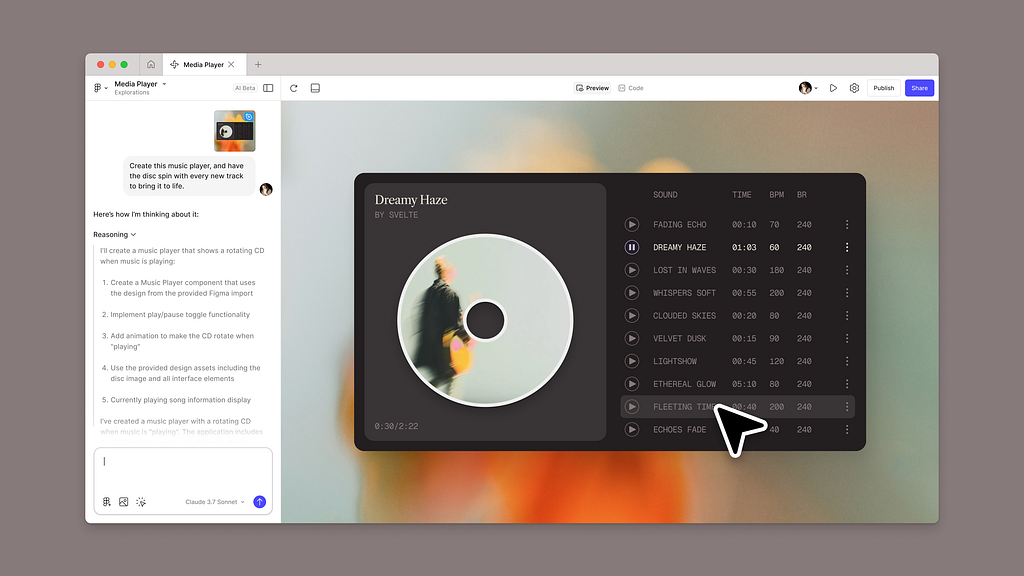
The canvas: Tldraw’s Make Real prototype demonstrated the purest version of this: draw a rough interface on a canvas, and the AI turns it into working code. [13]
No prompt required, the sketch is the instruction. Figma’s Make feature works within the spatial canvas designers already inhabit, generating prototypes from visual inputs rather than written descriptions. [14]
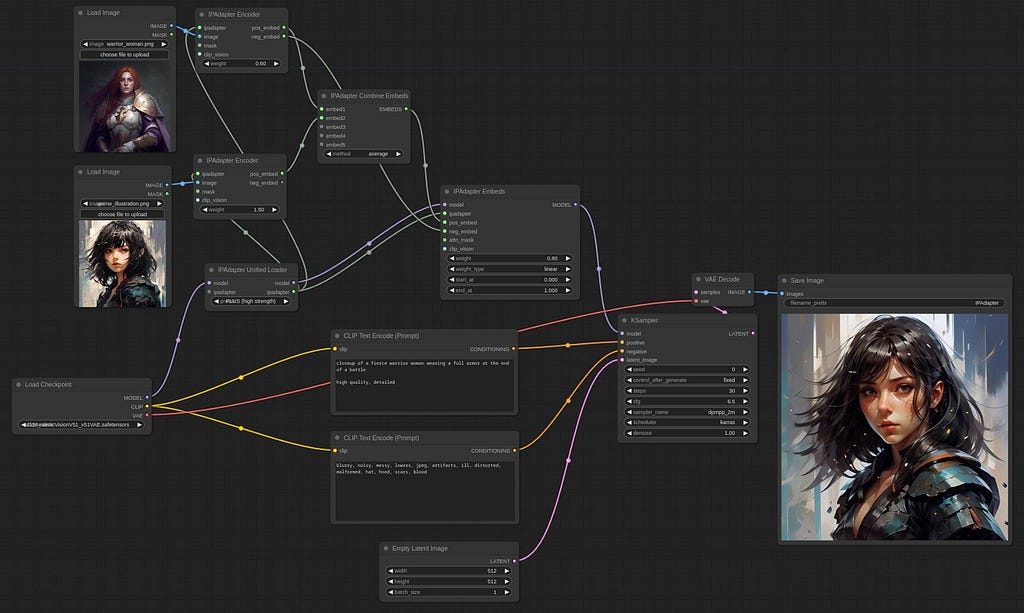
The node graph: ComfyUI replaces the chat interface with a node-based editor: connect visual blocks into pipelines that are visible, debuggable, and rearrangeable as spatial structures. [15]
Complex workflows that would require pages of written instructions become diagrams you can see.
The embedded tool: Adobe’s Generative Fill embeds AI within an existing visual interface: select a region with a brush, type a short phrase, and the AI fills the selection. [16]

The interaction is primarily spatial, with text playing a supporting role. Runway similarly integrates AI within a timeline-based editing environment, where spatial controls sit alongside language.
The most effective AI interfaces do not ask users to describe what they want. They let users show what they mean, through drawing, connecting, selecting, or manipulating the work itself.
The window that’s coming
As AI commoditises pure execution, the role of the designer shifts toward direction, curation, and the application of taste. A text prompt forces you to guess the outcome; a visual interface allows you to react to it. When you can see the options, manipulate the canvas, and iterate in real-time, you are exercising judgment. You are acting as the creative director of the algorithmic atelier.
The chat prompt was a necessary detour, the command line of the AI era. It proved the technology. It shipped the product. But the GUI is coming. We can already see its earliest forms, in the canvas, the node graph, the embedded spatial tool. And when it arrives at maturity, we will look back at the era of the text prompt the way we now look back at DOS: functional, certainly; powerful, in its way; and profoundly limited by its insistence on forcing humans to speak, when what they really needed to do was show.
In 1963, Sutherland drew a line on a screen and showed that a human and a computer could communicate without words, a recognition that visual, spatial interaction is how humans have communicated their most complex ideas since the earliest marks on cave walls at El Castillo, some forty thousand years ago. [17]
The future of AI interaction is not typing what you want. It is showing what you mean.
More on this topic from UX Collective
- The chat box isn’t a UI paradigm. It’s what shipped.
- AI is ruining the way you talk about your work
- What AI exposes about design
- You’re still designing for an architecture that no longer exists 2026
- Co-constructing intent with AI agents
- AI’s text-trap: Moving towards a more interactive future
- Beyond conversations: natural language as interaction influencer
- Design prompt-building interfaces
References
[1] Berger, J. (1972). Ways of Seeing. Penguin Books.
[4] Apple Computer (1984). Macintosh System 1. Apple Inc.
[6] Paivio, A. (1971). Imagery and Verbal Processes. Holt, Rinehart, and Winston.
[8] Victor, B. (2011). “A Brief Rant on the Future of Interaction Design.” worrydream.com.
[9] Norman, D.A. (1988). The Design of Everyday Things. Basic Books.
[11] Lotz, W. (1977). Studies in Italian Renaissance Architecture. MIT Press.
[12] Pallant, C. (2015). Storyboarding: A Critical History. Palgrave Macmillan.
[13] tldraw (2023). “Make Real.” tldraw.com.
[14] Figma (2025). “Introducing Figma Make.” figma.com.
[15] comfyanonymous (2023). ComfyUI. Open-source project. github.com/comfyanonymous/ComfyUI.
[16] Adobe (2023). “Generative Fill in Adobe Photoshop.” adobe.com.
The prompt is not an interface was originally published in UX Collective on Medium, where people are continuing the conversation by highlighting and responding to this story.