We may earn a commission from links on this page.
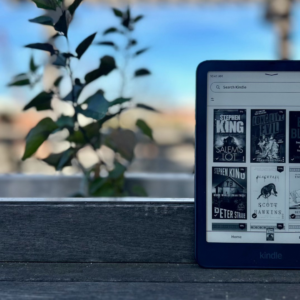
I love e-readers, but I’d be the first to admit that as far as the general public is concerned, they are just about the least exciting tech devices around—and that goes double for the Amazon Kindle. Any attention the space has gotten over the past couple of years has involved obscure players like Boox and weird concepts like the phone-shaped Palma or the tiny Boox Picco. But the clear leader in terms of market share is still Amazon, and despite some minor innovations over the years, the device hasn’t received an essential upgrade in around a decade: A Kindle is a Kindle is a Kindle.
I’d still say this holds true in 2026, even after the company unveiled a complete redesign of the Kindle lineup. While the new flush-front display is nice-looking (and Amazon is quite proud of the new process it has developed to add colored bezels by painting them directly onto the outer glass screen), competitors have offered similar designs for years, and it’s hard to get too excited about “innovations” like an $80 case that adds back the physical buttons that used to be built in or finally opening up the firmware to allow for the use of a Bluetooth page-turn remote.
But one thing has changed about the 2026 Kindle lineup: I think the $50 premium Amazon charges for the top-of-the-line Signature Editions of the Paperwhite and Colorsoft is finally truly justified.
$249.99
at Amazon

$249.99
at Amazon
$319.99
at Amazon

$319.99
at Amazon
The Signature Edition finally offers some irresistible upgrades

Credit: Joel Cunningham
Amazon introduced the first “Signature Edition” of the Kindle Paperwhite back in 2021, and while the 25% price increase didn’t get you nothing, the features it did add weren’t too exciting: At 32GB, it had three times the storage versus the standard Paperwhite, but how important is a ton of storage when most e-book files are tiny? (That’s still enough room for more than 6,000 texts, well more than even true bookworms will read in an entire lifetime.) Other bonuses, like wireless charging and an auto-adjusting front light, won’t matter at all to a huge subset of readers, and it’s hard to think of “no ads on the lock screen” as an extra perk.
But the latest Signature Editions of the Kindle Paperwhite and Kindle Colorsoft actually give you more for the price premium, and for the first time, I would recommend shelling out the extra cash. While the important specs are still the same as the standard model:
-
7-inch, 300ppi flush-front display (with color content on the Colorsoft maxing out at 150ppi)
-
Temperature-adjustable front lighting
-
USB-C charging with battery life “up to 12 weeks on a single charge,” per Amazon
-
Bluetooth support for wireless headphones
-
IPX8 water resistance
…the Signature Editions give you quite a bit more this time around, including, most noticeably, a totally new design with an all-metal rear panel that gives the devices a much sleeker look and feel without adding much in the way of weight (the standard plastic models weigh around 7.2 ounces, while the Signature Editions weigh 8.1 ounces). The new design makes the Signature Editions feel truly premium.

Credit: Joel Cunningham
But that’s not the only meaningful addition. Once again, alongside wireless charging and automatically adjusting lighting, the Signature Editions have a boosted 32GB of storage, which is still probably overkill, but worthwhile if you like to load your device with a bunch of audiobooks or (in the case of the Colorsoft) color comics.
You also get an accelerometer, which means the display will auto-rotate if you flip it upside down, giving you more flexibility in how you hold it (especially if you’re springing for the new Page-Turn Cover, which brings back physical buttons à la the beloved, discontinued Kindle Oasis). Moreover, there’s a new ability to turn pages by double-tapping on the bottom sides or back of the device rather than touching the screen (though it only works for moving forward in your book).
Only the Signature Edition gets the best new accessories

Credit: Joel Cunningham
Speaking of which, you’ll need to go for the Signature Editions if you want to use accessories like the Page-Turn Cover or the also-new Charging Stand (not yet available for pre-order), as only the Signature Editions include the built-in magnetic pogo you’ll need to connect them. (If you’re interested in the Kindle Click page-turn remote, it at least works with any Kindle from 2024 or later.)
Finally, if you care about your Kindle looking pretty, it’s worth noting that only the Signature Editions are available in Seaglass Green (for the Paperwhite) and the reddish-purple Plum (for the Colorsoft).
Otherwise, it’s mostly still a Kindle
Outside of those extras, the 2026 Kindles don’t feel much different than the 2024 models. According to Amazon, they are the fastest Kindles ever, but that’s mostly hype—any recent Kindle will turn pages quickly enough that you’ll barely notice the speed difference, if you notice it at all. They all still run on the same firmware, which is both a good thing (Amazon makes it extremely easy to browse for and buy books and audiobooks directly on the device; there are a ton of options to search through and sort your library; and quality-of-life features like being able to sideload books via email using the “Send to Kindle” feature are a godsend) and a bad thing (I hope you like being locked into the Amazon ecosystem).
The new flush-front design won’t please everyone

Credit: Joel Cunningham
One change to the entire 2026 Kindle lineup is already proving divisive: Judging by reactions on the Kindle Reddit, not everyone is in love with the new flush-front design, which eliminates the raised bezels around the screen that were present on the 2024 model, but at the cost of adding a thin layer of glass over the e-ink display.
Depending on how picky you are, you may find fault with this setup, as the additional layer of glass slightly reduces text clarity by putting more distance and another barrier between your eyes and the text or images in your book. Is this something I noticed myself? No—I don’t have an older Kindle to make a direct comparison, and the text is still much, much sharper (and the front lighting more even) than what I see on competing e-readers like the Boox Go 6 or the Xteink X4 Pro. But there is a contingent of readers already lamenting the change, so take that for what you will.
$79.99
at Amazon

$79.99
at Amazon
$34.99
at Amazon

$34.99
at Amazon
$59.99
at Amazon

$59.99
at Amazon
The bottom line
The question to consider whenever a new device model rolls around is simple: Is this worth the upgrade? If you have a working Kindle from any time after the introduction of temperature-adjustable lighting, I would say no—the 2026 models are nicer, but they still don’t do anything to make them worth it, especially at the new higher price points.
That said, if you are in the market for a new Kindle, I’d suggest opting for the Paperwhite over the entry-level model, which has a smaller screen and lacks the warm light option—and if you’re getting a Paperwhite or Colorsoft, you might as well pay the premium for the Signature Edition, because it’s finally worth the extra money.