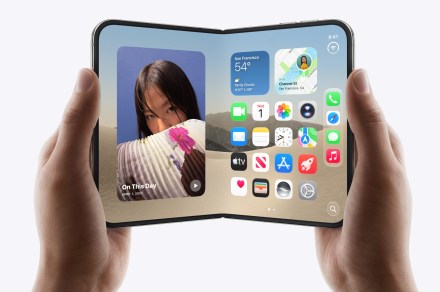
Owning a foldable with a massive screen is great until you’re stretching your thumb across it like you’re playing Twister. Thankfully, Apple has brought a familiar iPhone feature to its foldable, making one-handed use easier.
The iOS 27.3 developer beta brings Reachability to the iPhone Duo, letting you shift content from one side of the screen to the other with a simple swipe.
How to turn on Reachability feature on the iPhone Duo?
If you own a regular iPhone, you’ve probably used Reachability before. It’s the feature that slides the top of your screen down to your thumb. Now Apple has adapted that same idea for the iPhone Duo, just turned sideways. Swipe left from the left edge or right from the right edge. This shifts the content toward the opposite side, making it easier to reach while holding the phone.
To turn it on, head to Settings > Accessibility > Reachability. If you don’t turn it on manually, that’s fine too, since Reachability gets turned on by default once you update the software.
What else is changing with iOS 27.3?
Reachability isn’t the only notable addition in this iOS 27.3 beta. Apple is also expanding Siri AI across its apps, including Music, Messages, Photos, Calendar, and Reminders.

You can now ask Siri to build playlists in Music, schedule texts in Messages, edit photos, and create calendar events. It can also organize Safari tabs, create Journal entries, and manage files and folders. New capabilities are also appearing in Weather, Maps, Preview, and Shortcuts.
Apple says third-party developers will also get access to these tools. iOS 27.3 remains in developer beta testing, with a public release planned later this year. That gives Apple time to refine these additions before they reach everyone.