
I came out of my CyberGhost review with a positive opinion, feeling it had earned its spot in my best VPN roundup. However, even an expert review is subjective, and there’s a chance CyberGhost will not work for you. If that’s the case, here’s how to cancel your subscription.
How to stop your CyberGhost subscription renewing
Cancelling your CyberGhost subscription won’t end it right away, unless you delete your account or get the refund (I’ll explain how to do both of those later). Instead, the way to cancel CyberGhost is to stop your subscription from renewing at the end of each billing period. Once you’ve done that, you can keep using CyberGhost until your current period ends.
The following steps will cancel auto-renewal if you got CyberGhost through its website. If you bought it through an app store instead, see the next section.
-
Open your browser and go to cyberghostvpn.com.
-
At the top-right of the screen, click the box labeled My Account. Enter your username and password if you aren’t logged in already.
-
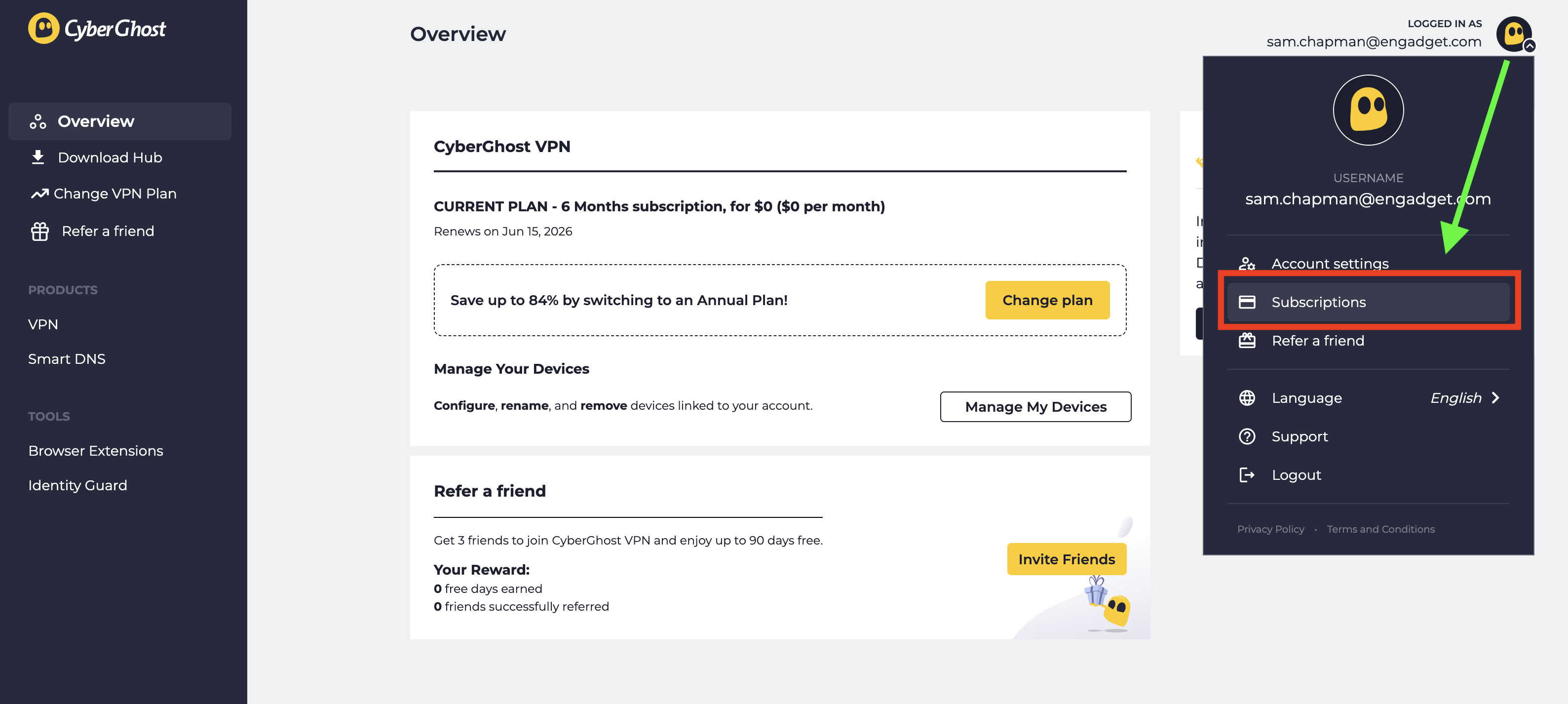
Look at the top-right corner of the new screen and click the CyberGhost logo next to your email address. From the drop-down menu, select Subscriptions.
-
Find the subscription you want to cancel and select Cancel Subscription.
-
When prompted, click Continue to Cancel.
This will turn off automatic billing for your account. The next time you would have been billed, your subscription will expire. You can resubscribe by purchasing another term. If you’re within the refund period — 14 days for a monthly subscription and 45 days for all others — you can now request your money back.
How to cancel CyberGhost if you subscribed through an app store
When you subscribe to an app through the Apple App Store or Google Play Store, the store handles the billing; the app provider doesn’t process the money itself. If you bought CyberGhost through an app store and want to cancel, you’ll have to ask the app store in question, not CyberGhost. Here’s how to do it.
If you subscribed through the Apple App Store, you’ll need to cancel through your Apple ID. Here are the steps.
-
Open the Settings app on your home screen.
-
At the top of the Settings menu, you’ll see your name. Tap it.
-
In your Apple Account menu, tap Subscriptions.
-
Scroll until you find your CyberGhost subscription, then tap on it.
-
Tap the words Cancel Subscription, then follow the prompts.
Here’s what to do if you subscribed through the Google Play store. Similar to the Apple process, you’ll go through the list of subscriptions on your profile.
-
Open the Google Play Store app.
-
Tap the circle in the top-right corner with the first letter of your name.
-
Find the Payments & Subscriptions menu and tap on it. On the next menu that appears, tap Subscriptions.
-
Scroll down until you find your CyberGhost subscription. Tap on it, then click Cancel Subscription.
-
Follow the prompts to complete cancellation.
How to delete your CyberGhost account
Before you set out to delete your CyberGhost account altogether, make sure you’ve cancelled auto-renew first by following the steps in the previous section. If you don’t, you might still be charged for the subscription you’re not using, and it’s a huge hassle to end that without an account.
Once you’ve done that, log into your account on cyberghostvpn.com and click on your account profile at the top-right, just like when you canceled auto-renewal. Below the username/password window and the message about an activation key, you’ll see the words Delete My Account in tiny letters.
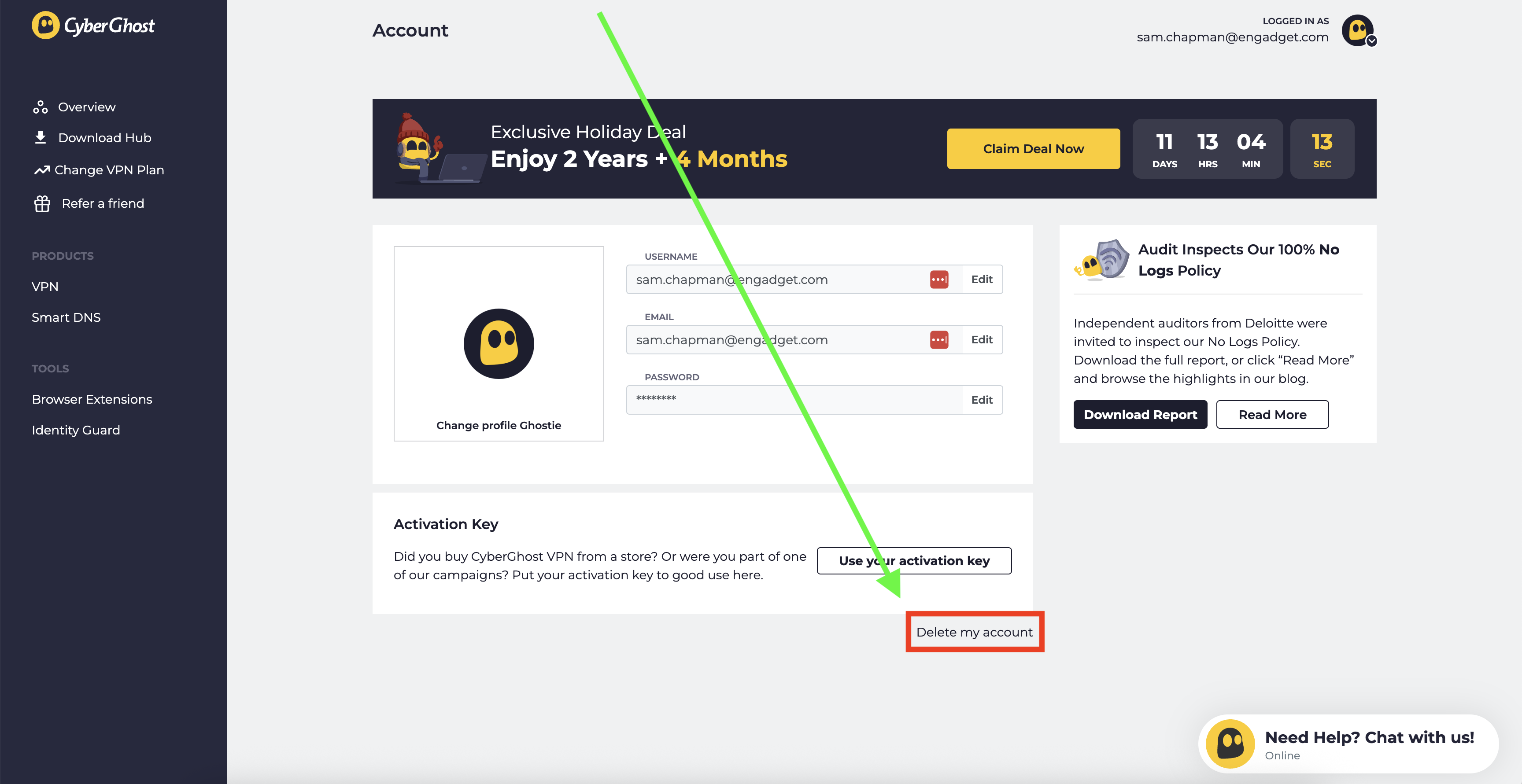
Click on them. On the page that appears, select Delete My Account again. Follow any more prompts you’re given to annihilate your username for good (note that you can’t use it again afterwards).
How to get a refund from CyberGhost
To get a refund on your CyberGhost subscription, you have to be inside the window for the plan you chose. With a monthly plan, the refund period is 14 days. For all other plans, it’s 45 days. If this time has elapsed, there’s unfortunately no way to get your money back.
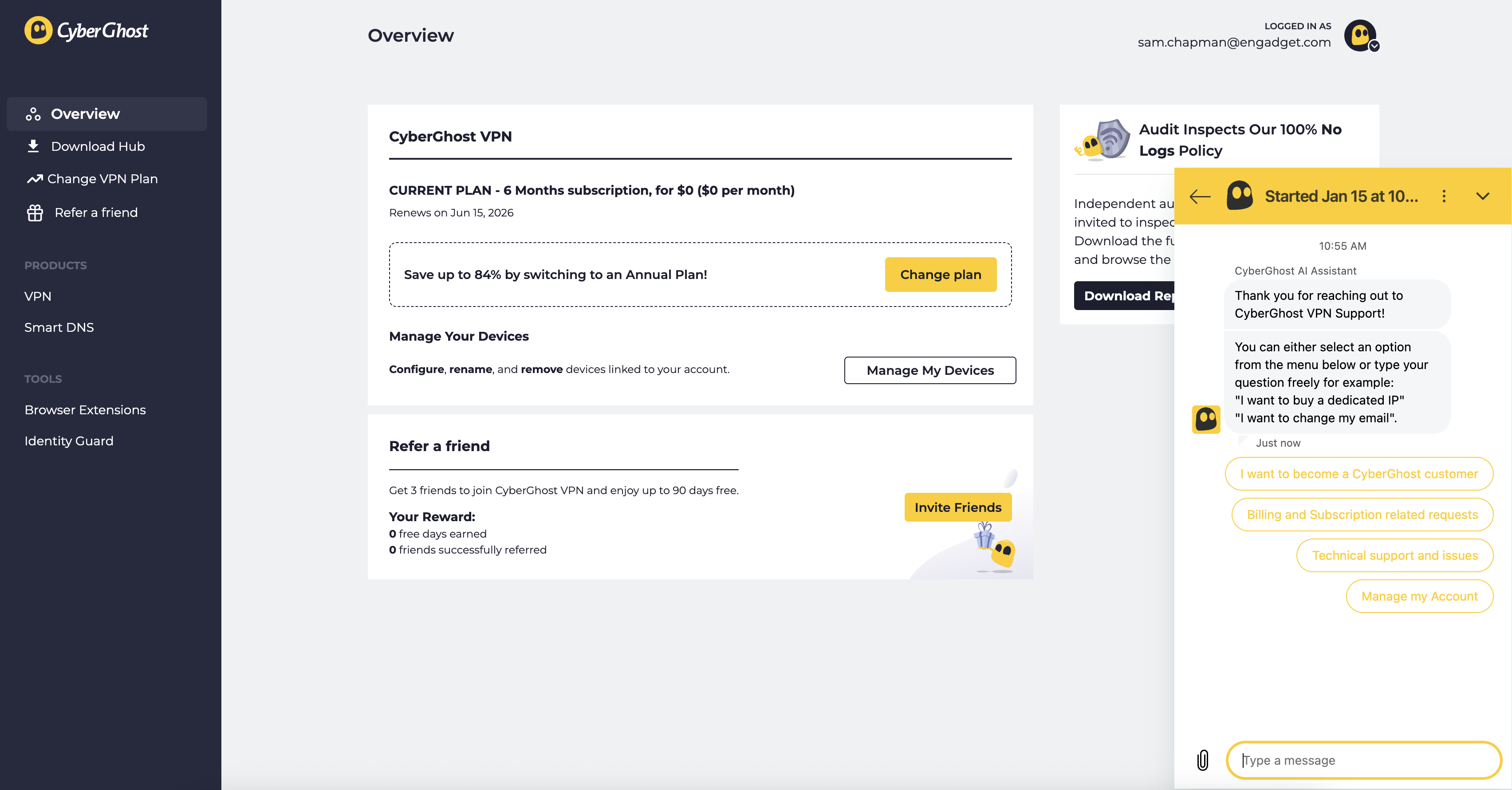
If you are within the refund period, you can get your money by sending a request through customer support. You can email support@cyberghost.ro, submit a ticket through this link or open a live chat conversation by clicking the Live Chat button at the bottom-right of any page on cyberghostvpn.com. No matter what method you choose, the conversation will go faster if you have your order number on-hand — check your inbox if you don’t know it.
If you went through an app store, you’ll need to request your money back from that platform instead. Apple and Google Play handle their own monetary transactions, which means they also process refunds.
Best CyberGhost alternatives
After you’ve cancelled and/or deleted CyberGhost out of your life, you still need a VPN; the benefits of masking your IP address and changing your virtual location don’t go anywhere. You can check out my best list (linked at the top) or best free VPN roundup for ideas, or check out the review for my favorite service, Proton VPN.
Proton VPN is my top choice because of its focus on user freedoms and attention to quality in everything it does. If you’re willing to pay a bit more for extreme simplicity and total reliability, ExpressVPN is ideal for beginners. If you’re a speed demon and just want to keep your downloads fast, go with Surfshark.
This article originally appeared on Engadget at https://www.engadget.com/cybersecurity/vpn/how-to-cancel-cyberghost-and-get-a-refund-130000311.html?src=rss