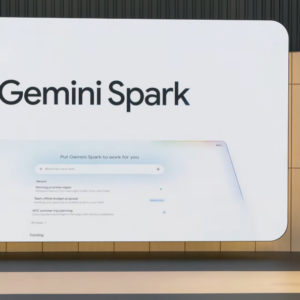
Google’s Gemini app is getting an overhaul, in terms of both design and function. At Google I/O 2026, the company announced Gemini is getting upgraded models that will lean more into agentic AI capabilities, which allow the assistant to send emails, add calendar events, and perform other actions on your behalf.
(Google does emphasize that all agentic capabilities are designed to be used under your supervision, which hopefully allays fears of the agent going rogue and, I don’t know, draining your bank accounts.) Here’s is everything Google announced about Gemini’s app upgrades during this year’s event.
Gemini has a new look
Google says it has revamped the design language for the Gemini app. The company calls it Neural Expressive, and it includes new animations, colors, typography, and refreshed haptic feedback. Another change: The Gemini Live conversational experience is now integrated into the Gemini app. This means you can easily switch from typing your questions to using your voice to talk to the AI.
There are also changes to the voice chat mode, allowing you to tap and talk to Gemini at your own pace. This prevents unwanted interruptions and doesn’t force you to keep speaking at a certain speed if you need more time to frame your thoughts, according to Google. You’ll soon also have an option to ask Gemini to speak in regional dialects, which can offer a more personalized experience to some people.
I think the best part of Neural Expressive design is Google’s focus on making interacting with Gemini look like something more than a wall of text. The company claims Gemini will now show responses with images, interactive timelines, narrated videos, and dynamic graphics, instead of just huge blocks of text. This new design language is rolling out today and will be available on the web, Android, and iOS.
Turn Gemini into a personal AI agent with Spark
Gemini Spark marks Google’s big play on agentic AI services. It transforms Gemini from a simple word generator into an assistant that can take actions for you. This feature works even if you’ve switched off your laptop or phone, and it can continue to work independently based on your requirements. Some examples Google shared during I/O 2026 include the ability to set recurring tasks or triggers, such as scanning your credit card bills to flag new or hidden subscription fees, go through your meeting notes to create a “polished” document in Google Docs with a summary of its findings, and drafting a companion email to kickstart a project. Google says you’ll also be able to teach Gemini Spark to pick up on deadlines for school projects and share them with your spouse, which could allow you to keep a tab on your child’s schoolwork without actively monitoring their inbox every day.
It’s worth noting that Google’s repeatedly emphasized the fact that Spark works on your commands. You’ll have to choose which apps it can connect to, and it’ll only take high-stakes actions with your explicit consent, whether that’s spending money or sending an email.
Gemini Spark is rolling out to Google AI Ultra subscribers in the U.S. next week, but it will be available to “Trusted Testers” this week. Google also said that Gemini Spark will is coming to the Gemini app for macOS later this summer, allowing you to automate workflows involving local files on your computer.
Daily Brief creates a personalized morning digest for you
Gemini is getting a new morning digest feature called Daily Brief, which works only if you opt in to receive it. The service accesses your Gmail inbox and your calendar to give you an overview of what’s ahead in your day. Google says this feature will prioritize your tasks based on your goals, and suggest the next steps you should take to tackle upcoming tasks. You’ll have the ability to tune the AI service’s feedback by giving it a quick thumbs up or down in the app. The Daily Brief feature is rolling out in the U.S. starting today, and it’ll be available to Google AI Plus, Pro, and Ultra subscribers.
Turn ideas into cinematic videos with Omni
In a move to fill the void left by OpenAI’s shuttering of Sora, Google is launching Gemini Omni, which allows you to combine text, images, and video inputs to generate videos. The company claims Omni makes it easy to edit videos using conversational inputs, such as swapping out backgrounds or applying cinematic zoom effects. You’ll be able to upload footage from your camera roll and use Omni to apply built-in templates to create videos quickly without needing editing software expertise. There’s also an option to create a custom AI avatar that looks and sounds just like you, and drop this avatar in your videos.
This feature does suggest a few ethical concerns, since it sounds like it would make it easy for a person with malicious intent to generate deepfakes. While it’s nice to see that video editing is becoming more accessible, generating videos with real people’s faces is in a grey area, and I hope that Google has strong guardrails in place to safeguard against abuse. Gemini Omni is rolling out starting today to Google AI Plus, Pro, and Ultra subscribers across the globe.