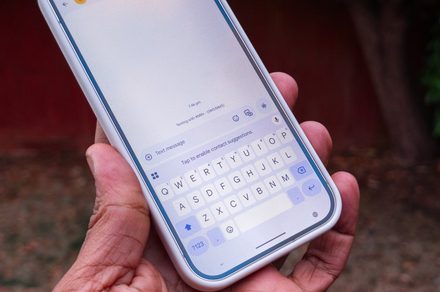
If you’ve ever tried to move the cursor in a text field on an Android phone, you’ll know how frustrating it can be to place it exactly where you want it. Gboard helps a little with its glide feature, which lets you press and hold the spacebar and then swipe left or right to adjust the cursor’s position. But even this solution is not perfect.
You can easily overshoot the mark while swiping on the spacebar, and the gesture doesn’t let you move up or down through longer blocks of text. Now, Google appears to be working on a new feature that could make cursor control a lot easier.
Android Authority has spotted an in-development cursor mode while digging through the keyboard app‘s latest beta, and it could make adjusting the cursor’s position as simple as doing it on a laptop. Although the feature isn’t live in the current beta build, the publication managed to enable it early, offering a preview of how it might work once released.
The cursor mode would essentially turn Gboard’s keyboard area into a virtual trackpad, letting users drag the cursor in any direction. To activate it, users will reportedly have to press and hold the spacebar, then move their finger or thumb across the trackpad to adjust the cursor’s position.
At this point, it’s unclear whether the new cursor mode will replace the current glide gesture. Since it was spotted in a teardown, Google could still tweak the interface before launch, or even decide not to release the feature at all. The company will likely share more details once it’s ready for rollout.
If it does make it to the stable release, the feature would be a welcome addition for anyone who spends a lot of time typing on their phone. Being able to move the cursor freely in any direction would make editing longer messages, emails, or notes far less fiddly, bringing the experience closer to what you’d expect from a laptop trackpad.