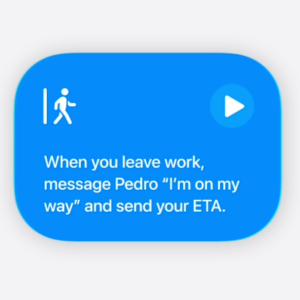
The Shortcuts app is Apple’s hub for all kinds of automation on your iPhone, iPad, and Mac. It allows you to create automation routines based on simple triggers, such as turning on the lights when you’re near home at the end of your work day. While the Shortcuts app is incredibly powerful, it’s always been a bit difficult to create shortcuts. If you’re not technically inclined, it’s not easy to learn how triggers work, why a particular step is breaking your automation, and so on. Apple is changing all of that with iOS 27, which is scheduled for release this Fall.
Apple will soon allow you to use Apple Intelligence, the company’s spin on AI, to create shortcuts with simple text prompts. This means that you could ask Apple Intelligence to create a shortcut with a prompt as simple as: “Message my ETA to my partner when I’m leaving work.” That will create a shortcut for you, and you can ask the app to run this every weekday. This makes Shortcuts much more accessible to people who find it intimidating to create multi-step automation workflows. You’ll still have to check if the shortcut works correctly, adjust your prompts to fix errors, and go through a few iterations before the perfect automation is ready. This, however, is a lot easier than manually creating your own shortcuts.
To be honest, even I resist creating many shortcuts and automations because of the time it requires. I’d rather search the internet for great shortcuts created by the community, but with this upcoming Apple Intelligence integration, I’m looking forward to whipping up many more of my own shortcuts. The catch is that this feature will only work with devices that support Apple Intelligence, which means that you’ll need an iPhone 15 Pro or newer device to get this feature. Those of us with older devices won’t be able to use new Apple Intelligence features.