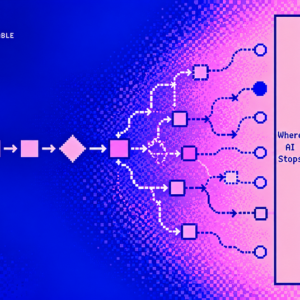
We used to design predictable user flows. Now AI can interpret, decide, and act on its own. Here’s why the hardest design decisions happen where that autonomy ends.

In September 2025, researchers at Thinking Machines Lab ran the same prompt through a language model 1,000 times. They set the temperature to zero, a setting that should, in theory, make token selection deterministic.
They got 80 different completions from the same prompt, model, and settings.
What’s even more interesting is that all 1,000 outputs were identical for the first 102 tokens. The differences started at token 103, when the model described where Richard Feynman was born.
The researchers traced the variation to how computations were performed under different server batching conditions. With a modified implementation, they eventually got all 1,000 outputs to match.
Their research demonstrated something important. Even when you try to make a language model behave predictably, the infrastructure running it can introduce variation.
Now imagine building a product on top of that model. One that creates freight bookings, updates customer records, or moves medical documents between systems.
The problem isn’t that AI can produce different answers. That’s often exactly why we’re using it.
The problem starts when those answers turn into actions, and nobody has decided which parts of the process are allowed to be unpredictable.
For decades, we designed software around the assumption that we knew what would happen next. AI is making that assumption increasingly difficult to maintain. And I think a lot of early-stage teams are still designing as if nothing has changed.
—
We used to know what would happen next
Think about how we’ve designed digital products for the last few decades.
You open an app, select something, complete a form, click a button, and move to the next step. The interface responds according to predefined rules.

A flight booking is a good example. Select your destination, choose a date, pick a flight, enter passenger details, pay, and receive confirmation.
There might be hundreds of conditions behind that experience, but the designer and engineering team can define them in advance. If the payment fails, show an error. If a seat is unavailable, offer another. If information is missing, ask the user to complete it.
This is the thinking that shaped most of our design tools and methods. User flows, wireframes, journey maps, information architecture, design systems, and interactive prototypes.
We design states and transitions between them. We decide what happens when someone clicks a button, makes a mistake, or returns to an unfinished process.
Traditional software was never perfectly deterministic. Search results changed, recommendations were personalized, and external services could fail. But the core behavior of most transactional interfaces was defined by explicit rules.
The designer didn’t need to know which flight someone would book. They needed to know how booking a flight worked.
What’s interesting is that the idea of software moving beyond explicit commands is not new. In 1993, Jakob Nielsen wrote about noncommand user interfaces. He described systems that could infer what users wanted instead of requiring them to communicate everything through specific commands. That was more than 30 years ago.
We’ve been imagining software that understands intention for decades. We just couldn’t build many of those experiences in a commercially practical way.
Now we can and that changes what it means to design a user flow.
—
The user no longer has to define every step
Imagine you’re designing a reporting tool.
Previously, a user would select data, configure filters, choose a report format, generate the report, and download it. The interface existed to collect instructions.

Today, someone can simply write: “Tell me why our conversion dropped last month and what we should investigate.”
The product can interpret the request, retrieve information, compare periods, identify patterns, and decide how to present the findings.
We removed five steps from the interface, but we introduced a completely different kind of complexity.
What if the data is incomplete? What if two dashboards define conversion differently? What if the AI produces a convincing explanation that is actually incorrect?
A traditional user flow doesn’t fully capture these possibilities because the system can now make decisions about how to approach the task.
This is also where the difference between AI adoption and actual automation becomes interesting.
According to the 2026 Stanford AI Index, 88% of surveyed organizations reported using AI in 2025, up from 55% in 2023. Yet scaled AI agent deployment remained in the single digits across nearly all business functions.
Companies are using AI, but letting it run meaningful business processes is a very different challenge.
There’s a big difference between asking AI to draft an email and allowing it to send that email to 4,000 customers.
This is where UX becomes much more important than simply making the interface look intelligent.
—
Non-deterministic vs deterministic
I think it’s worth clarifying the terminology because we tend to mix these things together.
A deterministic system follows predefined logic. Given the same relevant input and state, the same rules produce the same output.
A non-deterministic system can produce different outcomes under apparently identical conditions. With generative AI, it’s often more useful to talk about probabilistic behavior, interpretation, and uncertainty.
Think about the difference between validating an email address and understanding what an email means.
Checking whether an email address has the correct format is a deterministic task.
Understanding whether an incoming message is a complaint, a booking request, or a pricing enquiry requires interpretation.
Now connect that interpretation to an actual workflow.
If the AI decides it’s a booking request, it might create a shipment. If it decides it’s a complaint, it might escalate the issue. If it identifies a pricing enquiry, it might prepare a quotation.
The user didn’t explicitly select a workflow. The system did.
So yes, the output might be non-deterministic UI. The wording changes, the content changes, and sometimes even the structure of what appears on the screen changes.
But the bigger problem is UX.
Users need to understand what the system is doing, predict the consequences of their actions, correct mistakes, and know when they can trust an outcome.
You can design a beautiful AI interface with great typography, smooth animations, and perfectly polished chat components. But if the underlying system makes decisions users cannot understand or correct, the experience is broken.
The difficult part is designing what the product is allowed to do with that response.
—
The biggest mistake is making everything non-deterministic
There’s an assumption that the more autonomous an AI product becomes, the better it is.
Why ask people to complete forms when AI can understand them? Why use predefined workflows when an agent can decide what to do?
Those are reasonable questions. But just because AI can interpret information doesn’t mean it should be responsible for executing every resulting action.
And just because a product uses AI doesn’t mean everything inside it has to behave probabilistically.
In fact, some of the more interesting AI products are doing the opposite. They’re deliberately combining deterministic and non-deterministic systems, deciding exactly where each one should take control.
A lot of failures come from making something non-deterministic that should have been a form.
This is especially relevant for early-stage founders. It’s tempting to turn every interaction into a prompt because it makes the product feel more advanced.
But sometimes a form, a predefined workflow, or a simple confirmation button is exactly what the experience needs.
Two products illustrate this particularly well.
—
Routine Labs: Let AI build the workflow, not improvise while running it
Routine Labs works on automating processes inside existing legacy software, particularly in healthcare. Its approach is interesting because AI is used to help build automations, while production execution follows deterministic workflows.
Imagine a medical practice dealing with documents across several applications. A blood test arrives and needs to be identified, checked against patient consent, and uploaded to Germany’s electronic patient record, known as the ePA.
Traditionally, someone has to move between systems, find the correct information, check the necessary conditions, and complete the process manually.
A fully autonomous AI agent could attempt to interpret and navigate that process every time.
Routine takes a different approach.
According to the company, its hybrid engine uses generative AI to create automations, but the workflows running in production follow repeatable, logged logic. On its healthcare website, Routine also states that it doesn’t use AI during production operations or transfer personal data to LLMs.

That’s a very deliberate product decision. The uncertainty is concentrated in building the automation, where the process can be defined and checked. Production execution is designed to be predictable.
Now think about what that means for UX.
The user doesn’t necessarily need a conversation with an agent. They need to know what automation is running, which steps have been completed, whether the correct document was processed, and whether something requires their attention.
Routine’s public product examples show exactly this type of workflow: search for blood tests, check ePA consent, and upload the document.
The interface can communicate progress and exceptions through familiar patterns such as status indicators, execution histories, and review steps. No chatbot required.
And that’s what makes this approach interesting. The intelligence is used where it adds value, without making the entire experience dependent on the model interpreting the process correctly every single time.
Routine is an example of how you can build an AI-native product while keeping its actual execution deterministic.
—
Zauber: Let AI handle ambiguity, but make uncertainty visible
Zauber approaches the same problem from a different direction.
It builds AI agents for sea and air freight forwarding, working inside existing tools such as Outlook and integrating with systems like CargoWise.
Freight forwarding is an interesting environment for AI because so much operational work depends on interpreting unstructured information.
Emails, PDFs, packing lists, changing shipment details, special instructions, and incomplete documents. Information comes from different sources and doesn’t always agree.
An operator might receive an email requesting a shipment booking, with a packing list attached and a delivery date changed somewhere in the conversation.
Traditionally, someone would read everything, interpret the request, check the details, and manually enter the information into the booking system.
Zauber uses AI to handle much of that interpretation.
Its agents can read rate requests, identify relevant shipment details, retrieve rates, and prepare quotations for review. For booking creation, they can extract information from emails and documents and populate the necessary fields in CargoWise.
But the most interesting part is how the product handles information it cannot verify.
According to Zauber’s product page, if a declared value is missing or the volume doesn’t match the packing list, the system flags the discrepancy rather than guessing. The operator confirms the information before the booking is created.

Imagine the email says a shipment has a volume of 58.4 m³, while the packing list says 60.03 m³.
The AI has already completed most of the work, but the interface should make that disagreement visible, show where the information came from, and let the operator resolve it.
Instead of asking the user to complete every field, the product directs their attention to the two fields that matter. That’s a different way of designing workflows.
And there’s another detail I like about Zauber. Its product documentation describes monitoring agent sessions, including where the workflow hands control back to a human operator. The handover itself becomes something the company can observe, measure, and improve.
Routine and Zauber use different architectures, but they make a similar decision. They don’t treat autonomy as an all-or-nothing feature.

They decide where the AI should interpret information, where deterministic rules should take over, and when the user needs to step in.
—
Why a great AI demo can become a terrible product
Here’s a simple calculation that explains why these decisions matter.
Imagine a workflow with ten steps. Each step has a 95% chance of completing correctly, and all ten steps must succeed. Assuming the outcomes are independent, the probability of the entire workflow succeeding is:

A workflow that’s 95% reliable at each individual step could succeed end to end only about 60% of the time.
This is a simplified example, not a measured AI failure rate. Real systems have dependencies, validation, retries, and recovery mechanisms that change the result. But it illustrates why model accuracy alone isn’t a sufficient product metric.
An AI might extract information correctly most of the time. What happens when it doesn’t? What if an incorrect value gets passed to another system? What if an action succeeds but the confirmation fails? What happens if the agent repeats the action and creates a duplicate?
A lot of products look great because we’ve designed and tested the successful version.
The first time the model gets confused, the actual product experience begins. That’s where traditional design tools start showing their limitations.
A Figma prototype is excellent for representing predefined states. It’s not particularly good at representing a distribution of possible outputs, variable execution paths, or a failure that happens once in 50 runs.
This doesn’t make Figma irrelevant. It means static screens are no longer enough to validate the behavior we’re designing.
—
What happens when we ignore this?
One common failure is the illusion of completion.
An agent says it updated a record, sent an email, or created a booking. But perhaps it only prepared the action. Maybe an API failed. Maybe the system saved the wrong information.
If the interface displays the model’s response as proof that the action succeeded, the user has no reliable way to know what happened.

Another is hidden uncertainty. Information extracted from a document might appear exactly like verified information retrieved from a database. The interface gives both the same visual weight, even though one is an interpretation and the other is an authoritative value.

Then there’s the opposite problem: excessive human supervision.
Some products solve uncertainty by asking users to approve absolutely everything. But if someone has to review 100 decisions and 98 are consistently correct, they eventually stop paying attention.
You’ve automated the original work and replaced it with a new job: supervising the automation.

That’s not necessarily a better product.
There’s also the problem of incorrect decisions spreading through otherwise reliable systems. An AI might identify the wrong customer, after which every deterministic step executes perfectly while updating the wrong records.
The system worked exactly as designed, but the business outcome was wrong.
It takes us to the point when designing error states isn’t enough. We need to design the relationship between interpretation, verification, execution, and recovery.
—
How I approach designing this in an early-stage team
Working on a new AI product today, I’d start by mapping the workflow into three categories: deterministic, fuzzy, and irreversible.
It’s a simple exercise, but it forces you to make decisions that are easy to ignore when you’re focused on the demo.
Deterministic steps are operations with clear rules. Validating required fields, checking permissions, retrieving records, and preventing duplicate actions. These should generally be handled through conventional software.
Fuzzy steps require interpretation. Reading an email, understanding a document, classifying a request, or drafting a response. This is where AI becomes useful.
Irreversible or high-impact steps are actions with meaningful consequences. Sending an external email, issuing a payment, changing a sensitive record, or committing a booking. These need explicit permission boundaries, verification, and, where appropriate, human approval.

Once you’ve mapped those steps, a lot of product decisions become clearer. You can decide where the model is actually needed, what the interface needs to communicate, and which actions should never happen silently.
The next thing I’d do is stop treating the AI output as the interface itself. For many B2B products, I’d rather have the model return structured information and let deterministic components render it.
If an agent extracts booking information, the user should see a normal booking interface, not a paragraph explaining what the model found. The model fills in the card. It doesn’t need to invent the card.
Let’s take something everyone understands. Booking a flight.
You ask an AI assistant to book an early flight to Lisbon on Friday for you and Ania, returning Sunday evening.
First, the fuzzy part. The model has to interpret what “early” and “evening” mean, figure out which Ania you’re talking about, and make a few assumptions based on your previous bookings.
Instead of giving you a long chat response, the UI presents a structured draft. You can see what the model understood, where each assumption came from, and correct anything that looks wrong. Nothing has been booked yet.

Then comes deterministic validation. The system checks actual flight availability, passenger details, fare conditions, and prices against the airline’s data and predefined rules.
Everything checks out. Two seats are available, the refundable fare costs €398, and it’s within your budget. The interface shows a verified booking summary, without making you go through every individual check.

Now the interesting part.
You click Book, but the refundable fare sells out before the booking is completed. The only remaining option is €342, but it’s non-refundable.
Technically, it’s cheaper. It even passes your budget limit. But it’s not what you originally agreed to.
This is where the interface needs to change. Instead of letting the agent choose the cheaper ticket, the UI explains what happened, keeps all the information that’s still valid, and asks whether you want to book the non-refundable fare or look for another option.

Looking at the entire flow, the interesting part is how the boundaries change. The model can interpret the request, but it can’t set prices or book anything. Rules and live systems handle validation. And when the refundable fare suddenly becomes unavailable, the system stops and hands the decision back to the user.
Here’s how those boundaries work across the same booking:

One booking, three different levels of autonomy. The system can interpret, validate, and prepare actions, but the rules for handing control back to the user change depending on the consequences.
This is why I don’t think we can design AI workflows as just a sequence of predetermined screens anymore.
The same task moves between interpretation, validation, and execution. A decision that seemed straightforward a moment ago can suddenly require human judgment.
And the interface has to handle that without making someone start the whole process again.
There’s no need to show confidence scores or explain every decision the model makes. Show the assumptions when they matter, keep routine checks in the background, and make the consequences clear when something changes.
The difficult part is designing the transition between them.
—
Prototype the behavior, not just the happy path
I’d also move to working prototypes earlier.
Tools like Cursor, Lovable, v0, and Claude Code make it easier to build interfaces connected to actual model behavior. You can still start in Figma, but at some point you need to see the variability rather than imagine it.
Run the same scenario repeatedly. Try different phrasing. Use incomplete documents. Give the system conflicting instructions. Turn the failures into evaluation cases.
Anthropic’s research on building effective agents makes a useful distinction between predefined workflows and agents that dynamically decide their own steps. It also recommends starting with the simplest architecture that can solve the problem.
Not everything needs an agent. Sometimes a fixed workflow with one intelligent step is more useful, less expensive, and significantly easier to test.
For the actual implementation, structured outputs, schemas, state machines, execution logs, and human approval mechanisms help make these boundaries real. Tools like LangGraph and LangSmith can support stateful workflows, tracing, and evaluation.
None of these tools eliminates model uncertainty. They help you design a product that knows what to do when uncertainty appears.
Finally, I’d measure something more useful than how often the AI completes a task. I’d measure how much human attention the workflow requires.
Things like:
How often does someone need to correct the output? How long do those corrections take? How often does the agent require intervention? How many tasks actually finish correctly without creating additional work?
An agent that automates 80% of a process but makes the remaining 20% painful may not save much time. The goal is reducing the total effort needed to achieve a reliable outcome.
—
The hardest decision is how much control to give away
For founders, this is where UX becomes product strategy.
Give AI too little autonomy and you’ve built an expensive assistant that still requires users to do all the work. Give it too much and users have to trust decisions they cannot inspect or predict.

There’s no universal answer because the consequences vary between workflows. Drafting an email is different from sending it. Preparing a booking is different from creating it. Extracting information from a medical document is different from modifying a patient record.
And the boundary isn’t necessarily permanent.
A workflow might begin with every action requiring approval. After hundreds of successful executions and measurable evidence of reliability, some steps can become automatic. Other steps might always require human involvement because the cost of a mistake is too high.
This also changes how I’d approach a zero-to-one product.
Instead of promising to automate an entire business operation, I’d start with one painful workflow, make it measurable, understand its exceptions, and gradually expand.
“Our AI handles your entire freight operation” might sound impressive.
“We turn incoming shipment requests into verified, ready-to-create bookings” is a much clearer product promise.
You can measure the time saved. You can understand what goes wrong. You can build trust before introducing more autonomy.
And for an early-stage startup, trust is a much more useful asset than an impressive demo.
—
Design the boundary, not just the flow
For decades, we focused on making software easier for people to navigate. We mapped their journeys, removed unnecessary steps, and made interfaces more predictable.
Now we’re increasingly designing software that navigates parts of the work on their behalf. We need to understand what the system knows, what it assumes, what it can verify, and what it’s allowed to do when information is incomplete.
We need to decide when the system should act, when it should ask, and when it should stop. And perhaps most importantly, we need to accept that not every part of an AI-native product benefits from more AI.
Sometimes the best decision is to let a model interpret something and hand execution to deterministic software.
Sometimes it’s to prepare an action and ask for confirmation.
Sometimes it’s to admit that there isn’t enough information to continue.
Routine Labs and Zauber are useful examples because they make those boundaries part of their product architecture rather than treating them as an afterthought.
The next generation of product design isn’t just about making interfaces more intelligent. It’s about deciding how much unpredictability the product can safely absorb.
If you’re a founder building in this space, take your most important workflow and mark every step as deterministic, fuzzy, or irreversible. You’ll probably discover more about the product you’re building than you would from another conversation about which AI model to use.
Your AI doesn’t need to behave the same way every time.
But your users need to know what they can depend on.
References
- Thinking Machines Lab, Defeating Nondeterminism in LLM Inference (2025)
- Stanford HAI, 2026 AI Index Report
- Jakob Nielsen, Noncommand User Interfaces (1993)
- Microsoft Research, Guidelines for Human-AI Interaction (2019)
- Anthropic, Building Effective Agents
- Routine Labs
- Zauber, Product
The Routine Labs and Zauber examples are based on their publicly available product descriptions, not independent production testing.
Everyone is building AI agents. Who’s designing the stop button? was originally published in UX Collective on Medium, where people are continuing the conversation by highlighting and responding to this story.