We may earn a commission from links on this page.
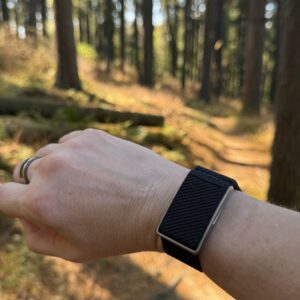
The market for smart bands is getting pretty crowded. It’s hard to beat the Fitbit Air on value or the Whoop on performance analytics, and anything in between struggles to make itself stand out. But the Speediance strap caught my eye for an unusual feature it includes: a sensor that claims to measure your core body temperature during workouts.
Does the Speediance Strap really measure core temperature?
The only other device I’ve seen make a similar claim is the Core 2 thermal sensor, which I wore for a summer’s heat training and found it valuable and useful (though not without a few caveats). A Speediance rep told me their device works the same way as the Core 2: It has a sensor for skin temperature, and another for heat flux, which can estimate how much you’re warming up over the course of a workout.
Core 2 requires that you pair its device to a chest strap heart rate monitor because its algorithm can only relate data from the sensors to your core temperature if it knows how your heart rate is responding. It also asks you to wear the sensor on the chest strap, so that it’s as close as possible to your actual core temperature. Speediance doesn’t have those requirements; you can get temperature estimates while wearing the device on your wrist and without any extra equipment.
To test Speediance’s claims, I wore both devices together for several workouts and compared the heat strain each device says I was under. While the Core 2 device is geared toward heat adaptation, Speediance uses heat data mostly to tell you when you’re done warming up and when your performance may be suffering due to heat.
How I tested the core temperature features of the Speediance band

Credit: Beth Skwarecki
The Speediance app shows your “heat load” during workouts, right on the same screen that shows your heart rate, time, and running mileage. At the beginning of a workout, you’ll see a label that says you’re insufficiently warmed up. Once your body temperature rises by about 0.5 to 1 degree Celsius (about 1 to 2 degrees Fahrenheit), you’re deemed to be in the “optimal performance” zone. A numerical strain index increases as you get warmer; above 5.0, you’re told you’re in “performance decline,” and above 7.0, you’re in “heat overload.”
For comparison, the Core 2 sensor uses a slightly different scale, or at least has different cutoffs: Between 1.0 and 2.9, you’re increasing your heat training load, and from 3.0 to 6.9 you’re more effectively increasing that load. Above 7, you’re not recommended to train because risks of overheating are too high.
It’s fall as I was testing the Speediance strap, and the weather was beautiful, so I wasn’t able to test this feature in any extreme temperatures. I did notice that, in a strength workout in my garage, my warmup was supposedly over before I had barely done any work. And I hit the “performance decline” level of heat load toward the end of several relatively cool runs.
To get a better sense of how the Speediance band does at measuring temperatures, I took it out alongside the Core 2 for an hour-long trail run on an unseasonably warm day (it was in the high 70s), and compared the heat load readings at various points during the run.

Credit: Beth Skwarecki
The numbers didn’t match up directly; the Speediance band always read several points higher than the Core 2 sensor, and seemed to show more ups and downs. But both climbed more or less together. I don’t think I’d say the Speediance band is as accurate—and in any sense, I don’t have a gold standard to compare to—but it seems like it could certainly be useful in monitoring how your performance varies with temperature in hot weather.
How the Speediance band performs for activity and sleep

Credit: Beth Skwarecki
If you’re going to get a Speediance band for its temperature features, you’re probably also going to use it for general activity and sleep tracking. On that front, I have plenty of good news. It’s comfortable to wear, with a soft band that feels a bit nicer than Whoop’s. I often completely forgot I was wearing it.
The app has a lot of nice little features. You get a circular visual of your day, showing when you slept versus when you exercised. My only complaint here is that the background is a generic visual that suggests you’re looking at a graph of daytime and nighttime, but it’s not lined up with the actual times of sunrise and sunset. Aligning those times with the visual would do a much better job of showing how your habits are (or aren’t) matching up with your circadian rhythms.
The band and app measure all the usual things, and display the data well: My HRV, skin temperature, and resting heart rate are all reported as vital signs, and I can easily see how they’ve changed over the past week, month, and year. A “TRIMP” number shows up among my daily metrics, which I know refers to the same thing that other apps call cardio load. A little obscure in the naming, but a good metric to track. The app suggests a bedtime, and its sleep tracking seems relatively accurate (not counting the time it read a dentist appointment as a nap—although, to be fair, I was lying still for half an hour).
But I’m disappointed by a few things. One annoyance is that, since Speediance is primarily a home gym company, you can’t log a strength workout without creating an exercise routine. (I ended up logging my strength sessions as “mixed cardio” instead.) If you want to share your exercise data on a graphic, you get stock images of Speediance equipment for backgrounds.
And I was never able to properly sync my workouts to Strava. I got a message in Chinese after attempting the connection, which a translation app told me means “the binding is successfull!” and the settings in my app told me in English that Strava was connected. Still, nothing ever showed up on my Strava page. That’s a bummer, both for everyday use if you use Strava, and for me personally since I could have used Strava to download more specific data from my workouts than I can get from just viewing workouts in the Speediance app.
Is the Speediance strap worth the money?
At $159, I’m on the fence. The temperature features of the Speediance strap could be useful for anyone who wants to keep track of how heat affects their workouts, especially in the summer. It doesn’t track heat adaptation, so it can’t replace the Core 2 sensor, but I do appreciate that Speediance is offering something more than just another heart rate measurement.
But the glitches (especially the lack of Strava connection) are a dealbreaker for now, and I wasn’t able to get as much information as I’d like about how well it measures heart rate. If I could overlook those, I don’t think this band is particularly worse than the Polar Loop or the Garmin Cirqa, which both cost a bit more. But I certainly can’t say it’s better than the Fitbit Air or the Whoop. Perhaps with time, this will be a better device, but at this point, I’m more inclined to watch for improvements than to recommend it as is.