
The Sonos app is getting a substantial usability overhaul. Familiar bottom tabs should make it easier to move around, while customizable speaker ordering could take some friction out of managing a multiroom system.
Sonos community manager ShaunFromSonos announced that the release may take up to two weeks to reach everyone. Once it arrives, users must switch on Enable Improved Navigation in the app’s settings to unlock the new layout and sorting tools.
What does the new layout fix
The biggest change replaces the app’s slide-up panels with a conventional tab bar. Home, System, and Search now sit across the bottom of the screen, clearly showing which section is open.
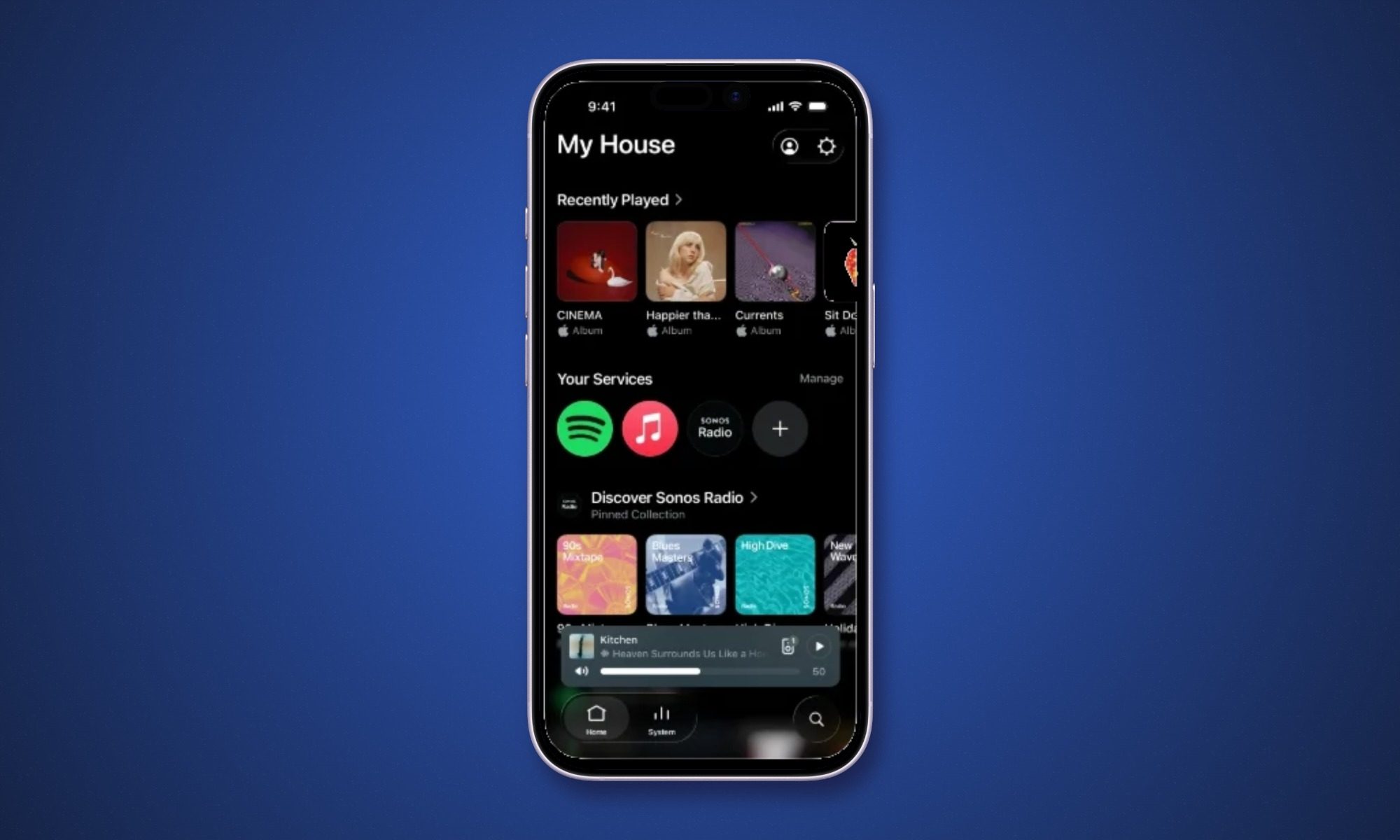
Most mobile apps settled on this approach years ago. Sonos owners should now spend less time swiping around whenever they want to choose a speaker or find some music. One Android user responding to the announcement also reported noticeably faster searches across music services, though Sonos hasn’t promised a broader performance boost.
How does speaker sorting work
Speakers and rooms can be arranged alphabetically, by frequency of use, or according to what’s currently playing. Preferred speakers can also be pinned near the top.
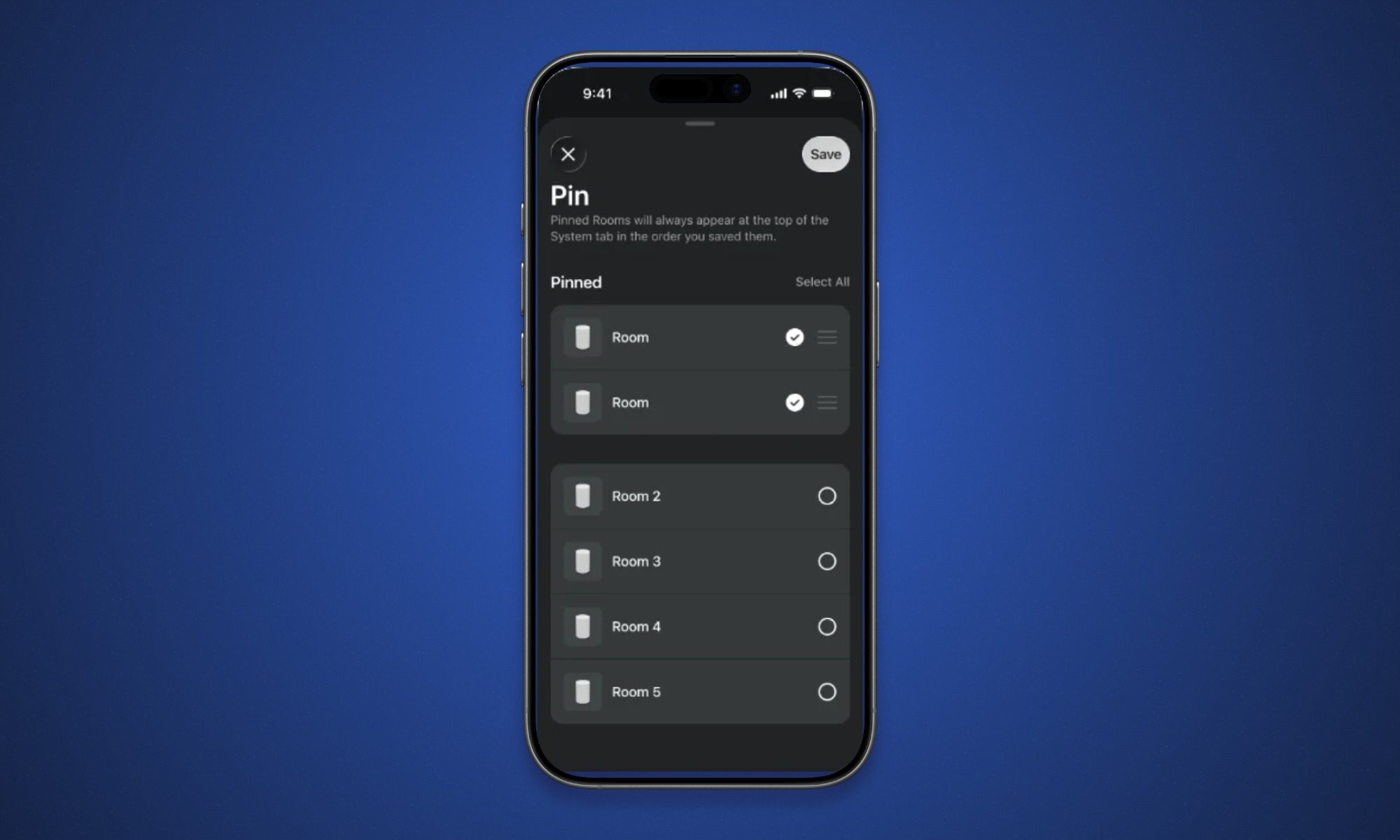
That freedom becomes more useful as a Sonos system grows. Households with several rooms no longer have to accept whatever order the app chooses, which makes finding the right speaker a little less tedious. These sorting tools won’t appear until the improved navigation setting is enabled.
What else comes with the update
Sonos has redesigned the iOS volume slider so it expands during adjustments and displays a numerical level. Sonos Favorites now supports swipe-to-delete gestures, while the Now Playing screen can borrow its background colors from the current album artwork.
The app is now version 87.00.36 on iOS and 87.00.35 on Android. It will install automatically once the phased release reaches a device, although iPhone users can refresh the updates page in the App Store to check early. If the navigation option still isn’t visible, give it up to two weeks before hunting for a fix.