A fake version of Maccy, a popular clipboard manager for macOS, is being used to deliver a newly discovered Mac malware strain called PamStealer. Researchers at Jamf say the malware impersonates the real open-source app, but its actual purpose is to steal data and capture a victim’s login password.
PamStealer arrives as a disk image containing an AppleScript file that impersonates Maccy. Once the user opens that file, macOS launches it in Script Editor, where the on-screen instructions tell them to press Command-R. To someone expecting a normal app installer, that may look like an odd setup step. In reality, that action runs hidden malware code and starts the attack.
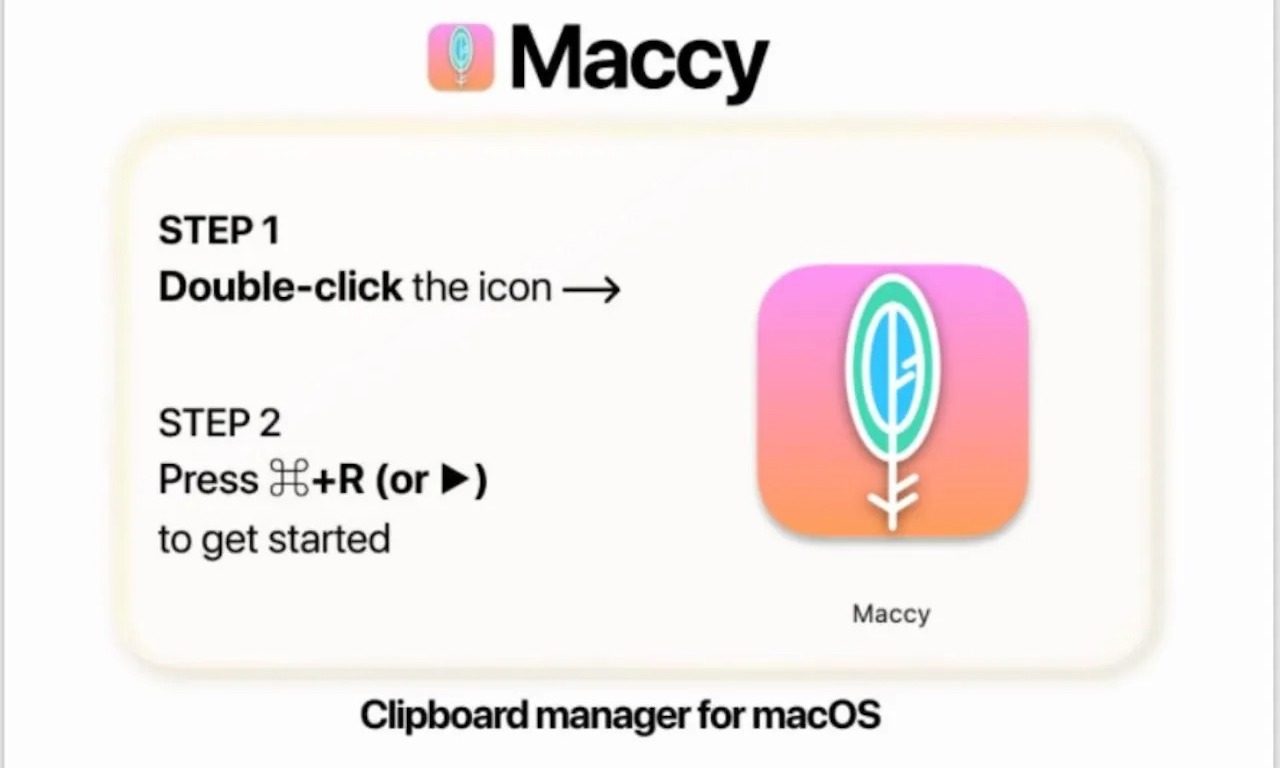
A fake installer starts the attack
The first part of the attack is designed to stay quiet. Instead of using common Mac command-line tools that security teams often watch for, the researchers say the malware uses Apple’s own automation features to download and launch the next stage.
The payload then hides inside app bundles that pretend to be real macOS components. Jamf found samples posing as Finder or Software Update. These fake components run in the background and use Apple’s Finder icon, which makes the attack more convincing.
The password prompt is the real danger
PamStealer’s most worrying trick is its password prompt. The malware shows a native-looking Mac dialog saying Maccy wants to make changes and asks the user to enter a password. The password is checked through macOS’s own login verification system. If it is wrong, the prompt appears again. Once the correct password is entered, the malware captures it and shows a fake message saying Maccy is damaged and cannot be opened.
Researchers also found that PamStealer can watch the clipboard, register itself to run again after login, and later ask for Full Disk Access. In testing, that prompt sometimes appeared up to 40 minutes later, making it harder to connect the request to the fake installer.
Maccy’s official channels are now warning users about fake websites, while pointing them to maccy.app as the only legitimate place to get the app.