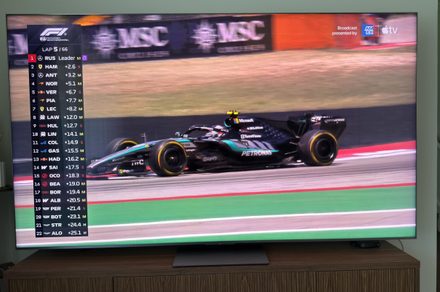

“The QM8L delivers the large majority of what made the X11L the most impressive Mini-LED I’ve tested, at half the price for the same 85-inch screen size.”
- Outstanding brightness and color for the price
- Great contrast
- Four full-spec HDMI 2.1 ports
- HDR accuracy out of the box could be better
- Built-in audio is merely fine
Instant insight: SQD without the sticker shock
When I reviewed the TCL X11L earlier this year, I called it the best picture quality Mini-LED can currently offer. But at $7,999, it’s not the TV most people are actually going to buy. Enter the QM8L, a superb TV with a more approachable price point.
TCL stopped following the traditional model release pattern a few years ago, and opts now to drop a yearly flagship model, followed by more affordable ones later on. In 2025 this was the QM8K, and in 2026 it was the X11L, which brought Super Quantum Dot (SQD) technology to the lineup. The QM8L gets the same SQD panel technology and the same WHVA 2.0 panel, along with the same Gemini powered Google TV experience. As the more affordable model, it gives up a bit of peak brightness, dimming zone count, and the X11L’s Bang & Olufsen speaker array, though a B&O-tuned system is still on board.
After several weeks with the QM8L as my daily TV, I’m simultaneously impressed with this model, and also a bit confused on who exactly the X11L is for. On the more affordable QM8L, the brightness is still outrageous, the color is still spectacular, and the local dimming is so well controlled that blooming almost never crossed my mind. What few compromises exist, like slightly worse HDR color and built-in audio, are unlikely to be noticed by average viewers, while its strongest attributes are front and center.
At $3,999, the 85-inch QM8L I tested is exactly half the price of the 85-inch X11L I reviewed in March. For that kind of savings, the compromises barely register. Last year I said TCL’s QM8K was the TV to beat, and I think the company has done it again with the QM8L for 2026.
TCL QM8L specs
| Sizes | 65, 75, 85, 98 inches |
| Pricing (MSRP) | 65″: $2,499 | 75″: $2,999 | 85″: $3,999 | 98″: $5,999 |
| Panel type | SQD (Super Quantum Dot) Mini-LED with WHVA 2.0 panel |
| Operating system | Google TV (Android 14) |
| Screen resolution | 4K Ultra HD (3840 x 2160) |
| HDR support | Dolby Vision IQ, HDR10, HDR10+, HLG, IMAX Enhanced |
| Native refresh rate | 144Hz (288Hz at 1080p via Game Accelerator) |
| Gaming features | AMD FreeSync Premium Pro (VRR), ALLM |
| Dimming zones | Up to 4,000 (varies by size) |
| Peak brightness (claimed) | Up to 6,000 nits |
| Audio | Bang & Olufsen audio system with Dolby Atmos, DTS:X, FlexConnect support |
| Connectivity | 4× HDMI 2.1 (1× eARC, all 4K@144Hz), 1× USB 3.0, 1× USB 2.0, Ethernet (LAN), Wi-Fi 6, Bluetooth 5.4, Optical S/PDIF, ATSC 3.0 Tuner |
TCL QM8L design: Familiar, and that’s mostly fine
Quick take: A familiar, unfussy design held over from the QM8K, plus a genuinely great remote

If you’ve seen the QM8K, you’ve more or less seen the QM8L. TCL didn’t reinvent anything here. The ZeroBorder design returns with virtually no bezel on the top or sides, a brushed gunmetal finish wrapping the frame, and a chin along the bottom edge where the TCL logo, far-field mics, and ambient light sensor live. The panel is about two inches thick, which won’t win any awards next to the X11L, but from the front this is a clean, minimalist television.

Unlike the X11L’s wide-set feet, the QM8L uses a center pedestal stand, which means it’ll sit comfortably on furniture much narrower than the panel itself. I was holding my breath with the X11L, realizing that my TV stand was only barely wide enough to support it. TCL also lets you set the pedestal at two heights, to optionally fit a soundbar underneath without blocking the picture. Only the 98-inch model does things differently, trading the pedestal for a pair of feet.
If you’d rather wall mount, the QM8L takes a standard VESA bracket, and there are slots for basic cable management built into the back panel and stand.
My one gripe is that the stand is plastic. It holds the panel securely and assembly was painless, but on a TV at this price I’d like a little more heft. It’s a small thing, and you’ll forget about it the moment the screen turns on, but it’s one place TCL pinched pennies.
The remote remains one of my favorites in the business. It’s the same brushed silver design from the X11L, with a backlight that kicks on automatically when you pick it up. The brightness rocker along the edge is still here, and I still use it constantly to dial the backlight down at night. There’s also a dedicated picture mode button and a programmable button you can map to whatever app you actually use, rather than whatever app paid for placement.
Design score: 8/10
TCL QM8L ports and connectivity: No compromises here
Quick take: Four full-spec HDMI 2.1 ports for all your devices

This is one area where the QM8L gives up nothing to the flagship. All four HDMI ports are full-bandwidth HDMI 2.1 supporting 4K at 144Hz, with eARC duties on HDMI 1. Last year’s QM8K only gave you two full-spec ports, so this is a meaningful upgrade for anyone with more than two current-gen devices fighting over bandwidth.
A USB 3.0 port sits on the side edge where wall mounters can actually reach it, joined by USB 2.0, Ethernet, optical audio out, and an ATSC 3.0 tuner for 4K over-the-air broadcasts. Wi-Fi 6 and Bluetooth 5.4 cover the wireless side, and the QM8L supports TCL’s Dolby Atmos FlexConnect system, which lets you pair up to four wireless satellite speakers and a subwoofer down the road, no speaker wire required.
Gamers get 4K at 144Hz from those ports, or 288Hz at 1080p through Game Accelerator, so for single-player games or anything where input lag isn’t make-or-break, enjoy the frame rate. For the competitive stuff where milliseconds decide matches, a gaming monitor is still the right tool, not a TV.
TCL QM8L SDR picture: The flagship’s color, without the flagship’s price
Quick take: Bright enough to put pricier OLEDs to shame in a bright room, with color accuracy to match

We talked a bit about how SQD works in my X11L review, but here’s the short version. While much of the industry bets on RGB Mini-LED backlights, TCL keeps every LED in the backlight the same color and pushes that light through far smaller quantum dot particles and a new color filter. The payoff is color that won’t wash out as the brightness climbs, with no adjacent red, green, and blue LEDs to bleed into each other.

In my testing, the QM8L measured a Delta E of ~3.0 in Filmmaker Mode at 100 nits with all processing off. That’s pretty good. Not perfect, but very good for the price. It’s not the most accurate TCL we’ve measured, as the X11L and last year’s QM8K both came out of the box tighter, but color still looks right to my eye on real content.
Gamut coverage is the same story. The QM8L sits in the high 90s on DCI-P3, and reaches roughly 90 percent of Rec. 2020. That’s largely in part thanks to SQD. Outside of OLED, the only other place you’ll find it is TCL’s own X11L.
| Color space | Coverage |
| Rec. 709 | ~100% |
| DCI-P3 | ~97% |
| BT.2020 | ~90% |
I’ll repeat the caveat from my X11L review: almost everything you can stream today is mastered for DCI-P3, so that Rec. 2020 number is more future proofing than a useable feature in the present day. I’d still rather the panel wait on the content than the other way around.
Brightness in SDR is, once again, more than anyone reasonably needs, and I mean that as a compliment. Sunny afternoons with the blinds open didn’t faze this TV in the slightest. The glossy panel does pick up direct reflections more than I’d like, but the sheer light output sufficiently cuts glare.

Here’s how the QM8L’s brightness stacks up against some of the TVs we’ve tested and reviewed recently:
| TV | SDR (full screen) | HDR (10% window) |
| TCL QM8L (SQD Mini-LED) | ~700 | ~5,000 |
| TCL X11L (SQD Mini-LED) | ~700 | ~7,000 |
| LG C5 OLED | ~600 | ~1,000 |
As for viewing angles, it’s important to keep in mind this is still a VA-type panel, and while color holds up better off-axis than I expected out to moderate angles, you’ll see things wash out if you’re viewing from a sharp angle. For most living room layouts it’s a non-issue.
The TSR AI Pro processor handles upscaling, and it handles lower-resolution content quite well. This came in handy while watching the NBA finals, upscaled from cable’s archaic 1080p.
SDR picture score: 9/10
TCL QM8L HDR picture: 90 percent of the flagship experience
Quick take: Searing highlights and tight local dimming, held back slightly by poor HDR accuracy

TCL rates the QM8L at up to 4,000 local dimming zones depending on size, driven by a new 26-bit backlight controller, up from 23-bit on the QM8K. That’s a fraction of the X11L’s 20,000-plus zones, and on paper that might seem like a huge reduction. In practice, however, it’s likely to go unnoticed. Blooming was almost non-existent in dark scenes and the zone management is among the best I’ve seen.
I’ve been enjoying Widow’s Bay on Apple TV, which served well as an HDR testing ground. A scene involving a bonfire amidst an otherwise dark night was handled beautifully, showing off gorgeous highlights and deep blacks.

HDR highlights have real punch, and the QM8L delivers them without washing out the shadows around them. Dolby Vision support is comprehensive, with Light, Dark, Vivid, and IQ modes, and HDR10+, HLG, and IMAX Enhanced are all on board too. TCL has a Dolby Vision 2 update penciled in for later in the year as well.
HDR accuracy out of the box leaves a bit to be desired, though most won’t notice it in the majority of scenes, and a little calibration solves the issue. This is not a reference accuracy display, at least not on the unit I tested, but it creates a stunning picture nonetheless.
HDR picture score: 8/10
TCL QM8L audio: Impressive for a non-flagship model
Quick take: Clear dialogue and some real bass

I called the X11L’s full-width Bang & Olufsen array the best built-in audio I’d heard from any TV. The QM8L bears the B&O name, but the exact hardware differs. Here you get down-firing speakers along the bottom edge and two woofers mounted on the back panel.
The result is pretty good. Dialogue stays clear, I didn’t pick up any distortion, and the rear woofers give the low end more weight than your average built-in sound. In fact, I turned the bass down one night when I was testing while the baby was sleeping.
For everyday viewing, you can absolutely live without a soundbar. For movie nights, I’d budget for one, or take advantage of the FlexConnect support and build out a wireless setup over time. Dolby Atmos and DTS:X are both supported.
Audio score: 7/10
TCL QM8L interface: Google TV stays the course
Quick take: Fast, familiar, and Gemini is there if you want it

The QM8L runs Google TV on Android 14, and it’s snappy. Apps launch quickly, with Netflix, YouTube, and Apple TV each reaching playback in under 10 seconds, and navigation was very responsive with no lag I noticed. The quick menu makes it easy to adjust common settings without backing out of whatever you’re watching. Google Cast, AirPlay 2, and Apple HomeKit support are all built in.
Gemini is here too, with hands-free voice support via the far-field microphones in the bottom bezel. As I found on the X11L, it’s the most capable voice assistant I’ve used on a TV, though I still think the category as a whole is more party trick than tool. It handles conversational, multi-step requests and follow-up questions, so some will get real use out of it. There’s a growing pile of AI extras like generated screensavers and news briefings that I mostly ignored, but the core assistant is neat, and if anything it improves accessibility.

That said, I still reach for my Roku Ultra for daily streaming, since it lets me bounce between review TVs without reconfiguring my life. As one of millions of users with a streaming device, I don’t weigh the built-in OS too heavily, but if you do live on the native platform, Google TV remains my favorite of the bunch, and the QM8L runs it without complaint.
Interface score: 9/10
How we tested
The TCL QM8L served as my main television for well over a month of daily use this summer. It was stationed in my living room, where it contended with direct sunlight during the day and dark-room viewing at night. I used it to watch movies, TV shows, F1 races, and plenty of YouTube. I tested the TV with cinematic Dolby Vision content, HDR10+ material, sports, and standard cable television.
I used both the native Google TV OS and my Roku Ultra. Objective measurements were taken using a Calibrite Display Pro HL colorimeter and DisplayCal software on Windows 11, with SDR color accuracy tested in Filmmaker Mode at 100 nits with all image processing disabled.
The comparisons in this review draw on my testing of the TCL X11L, QM9K, and QM8K, the LG C5, and the Samsung QN990F over the past year, along with my own observations from looking at many, many different TVs. TCL provided the QM8L review unit for this review and had no input into its contents.
Why not try
- TCL X11L: If you want the absolute best Mini-LED picture and audio TCL makes and the budget allows it, the flagship is still the one.
- TCL QM9K: Last year’s flagship is heavily discounted now and remains an outstanding TV, with built-in B&O audio that beats the QM8L’s. You give up SQD color and a few newer features, but the savings are substantial.
- LG C5 OLED: If you watch mostly in a dark room and value perfect blacks and motion over brightness, LG’s mid-range OLED is the move. Expect to pay more per inch and give up a lot of brightness.
Should you buy the TCL QM8L?
For most people shopping for a big, bright, premium television this year, yes. The QM8L delivers the large majority of what made the X11L the most impressive Mini-LED I’ve tested, at half the price for the same 85-inch screen size. The brightness and SDR color are flagship-grade, and the local dimming is exceptional.
It helps that TCL pricing never sits still. The QM8L launched at the same MSRP as last year’s QM8K, and as of this writing prices have already started slipping. If the past few years are any guide, the value proposition here is only going to improve as the year goes on.
Who shouldn’t buy it? If you want reference-grade HDR accuracy without calibrating, look at OLED. If built-in audio matters to you and you’d rather pay for it in the TV than a separate soundbar, the X11L or a different set with a true speaker array will serve you better.
Frequently asked questions
What sizes does the TCL QM8L come in, and what does it cost?
The QM8L comes in 65-, 75-, 85-, and 98-inch sizes, with launch pricing of $2,499, $2,999, $3,999, and $5,999 respectively. TCL pricing tends to drop quickly, so expect prices well below MSRP within a few months of launch.
Does the TCL QM8L support Dolby Vision?
Yes. The QM8L supports Dolby Vision IQ along with HDR10, HDR10+, HLG, and IMAX Enhanced. TCL has also announced a firmware update adding Dolby Vision 2 support later in 2026.
What’s the difference between the TCL QM8L and the X11L?
Both use TCL’s SQD Mini-LED panel technology. The X11L has roughly five times the dimming zones, a higher brightness ceiling, a thinner panel, and a full-width Bang & Olufsen speaker array, and it costs about twice as much at the same screen size. The QM8L keeps most of the picture quality at a far more attainable price.
Is the TCL QM8L an upgrade over the QM8K?
Yes. The QM8L adds SQD quantum dot technology for wider color, upgrades all four HDMI ports to full HDMI 2.1 where the QM8K only offered two, and improves backlight control with a new 26-bit controller. It launched at the same MSRP the QM8K did.