An idea to turn folders from passive storage into active systems that organise, act, and evolve based on your intent.
The Claws and Claudes of the world have introduced a new way of interacting with AI assistants. Yes, they can take over your laptop, act on your behalf, organise your files, and even execute ideas within certain limits. But something more fundamental has changed.
They are structured.
For the first time, users can organise conversations with an assistant and its outputs inside a file system. Going back to a past task is no longer about scrolling through a long list of chats with AI-generated titles. You go to a folder and continue from where you left off. That shift matters. The file system itself becomes the assistant’s persistent memory.
And if you already use tools like Obsidian or Notion, this idea becomes even more powerful. Files are not just stored. They are connected. They build context. They help you think (becomes your second brain). All of these points to one thing. AI systems that can manage and navigate file systems are unlocking a core capability.
But as this moves towards everyday users, something else needs to improve: the interface. The way we interact with these systems needs to be simpler and more approachable. This is similar to what Claude is exploring. Claude Code feels powerful but heavy. Claude Cowork feels more approachable and usable for a wider audience. As we move forward, systems like this will likely see wider adoption.
And that got me thinking.
As someone who likes having control over how my folders are organised, what would I need to keep that control without constantly talking to an assistant?
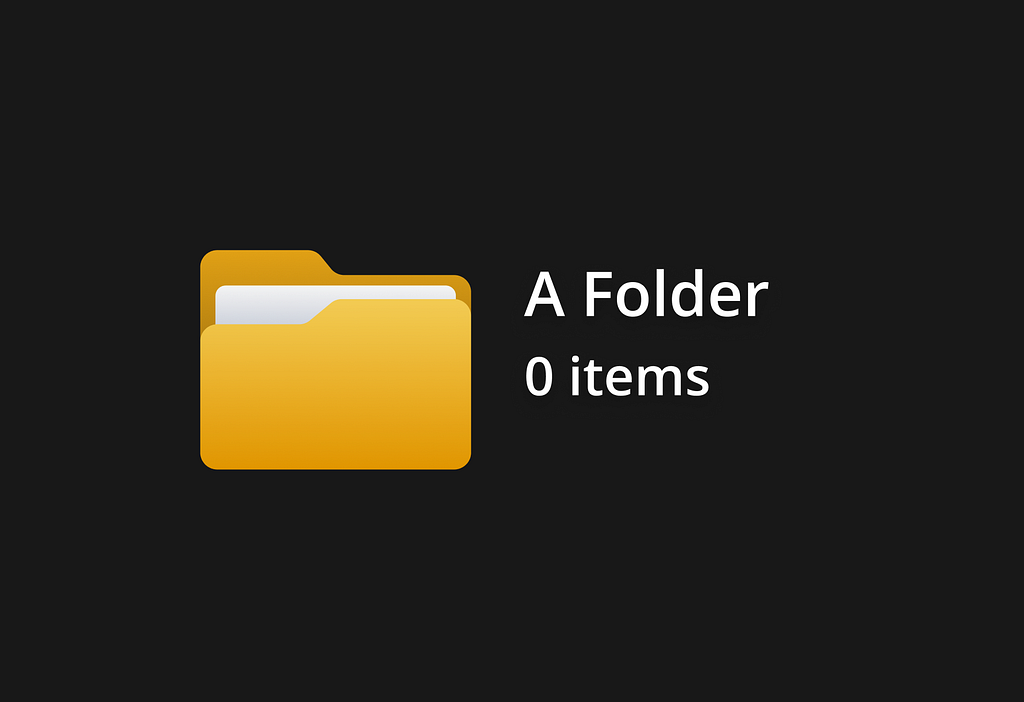
A folder is not just a container. It is a space with a purpose.
This folder holds all my college archive files.
This one is for documents needed for my passport renewal.
This is a temporary dump for things I do not have the mental capacity to organise right now.
Every folder starts with intent. And that intent is maintained as long as we have the motivation to keep it clean.
But eventually, it breaks. Files get scattered. Things pile up. And one day, you end up adding a task on your calendar that says “Clean up laptop”.
Thinking about this gap and what agentic AI can already do, I started exploring a simple idea. What if folders could be instructed?
Introducing Folder Instructions
Folder Instructions is a feature where you define what a folder is supposed to do, based on the purpose you created it for. These instructions become a rulebook. It defines what the folder is for, how files should be organised, how sub-folders should behave, and what actions can happen inside the folder or with the files within the folder. Instead of manually maintaining a folder, you set its intent once and let the system follow it.
To keep it simple, these instructions live inside the folder itself. You access them from the contextual menu, along with other folder options.
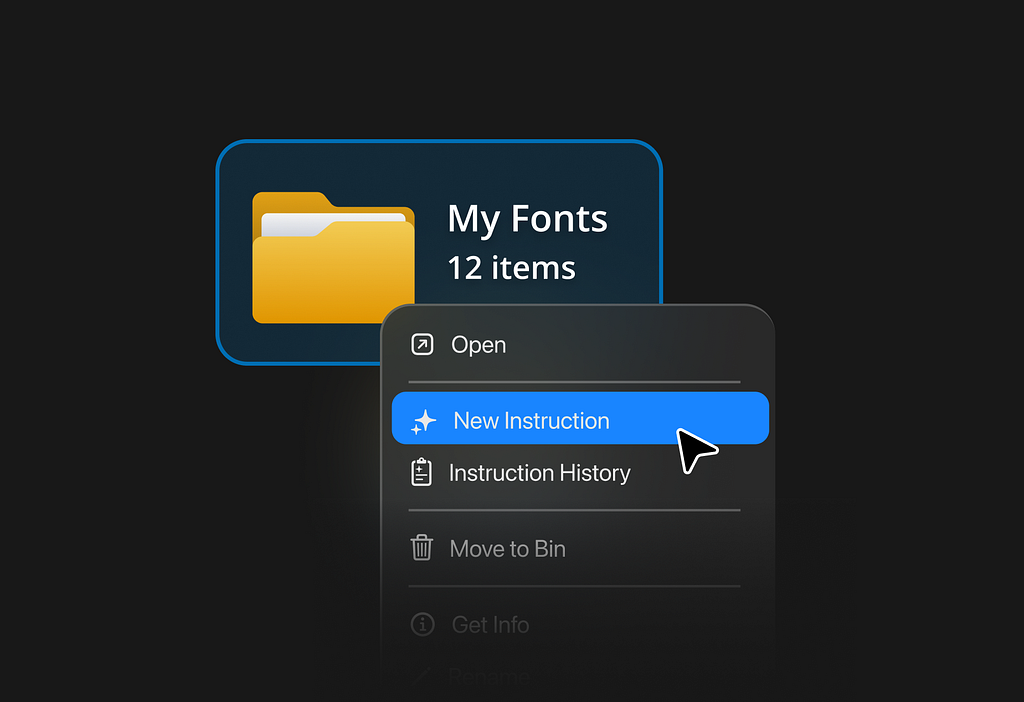
A folder can have multiple instructions. Along with creating a new instruction, users can also view previously added ones. The idea is not just to perform a one-time action, but to define a persistent behaviour.
Note: This article does not go deep into ‘Instruction History’ or how past instructions are tracked and managed. That is a separate layer involving details like conflicting instructions, logging, and maintenance, which are intentionally out of scope for this piece.
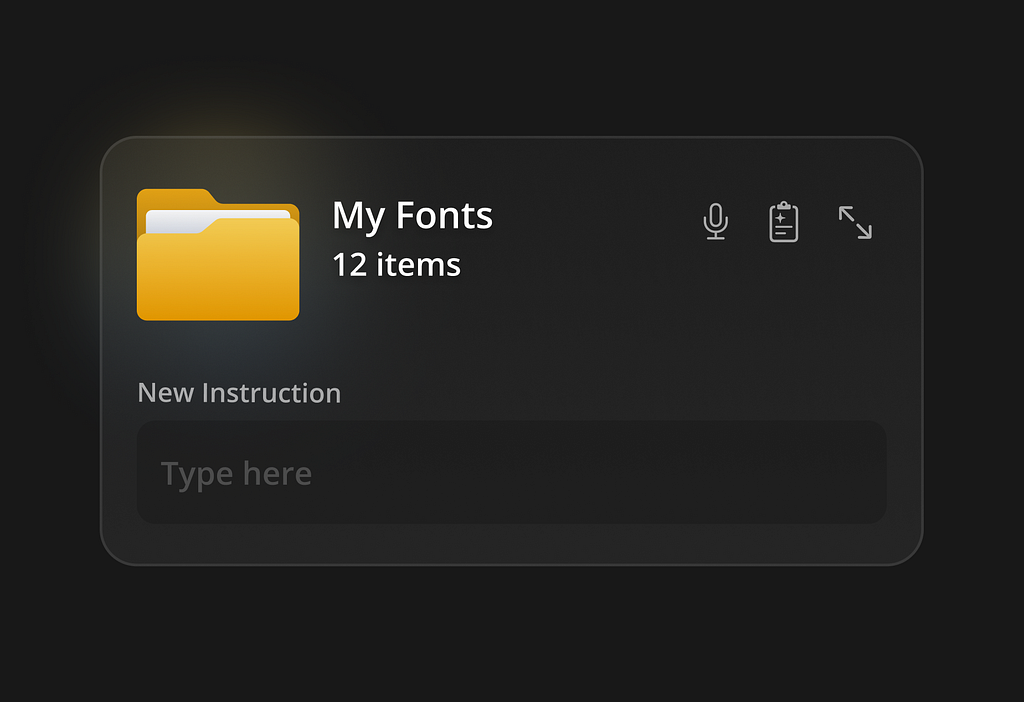
On clicking on ‘New Instructions’, the user is presented with an interface to input instructions to the folder.
Based on my exploration so far, I’ve broadly categorised the types of instructions one can give a folder into three types.
- Collation Instruction
- OS-Level Instruction
- Action Instruction
01. Collation instruction
As the title says, these types of instructions surf the system and gather a bunch of files that match the description stated in the instruction. The ‘gathering’ could happen either by the system creating a duplicate of all the files matching the description, or simply present pointers to the files (in other words, create Shortcuts).
There are two types of Collation instructions.
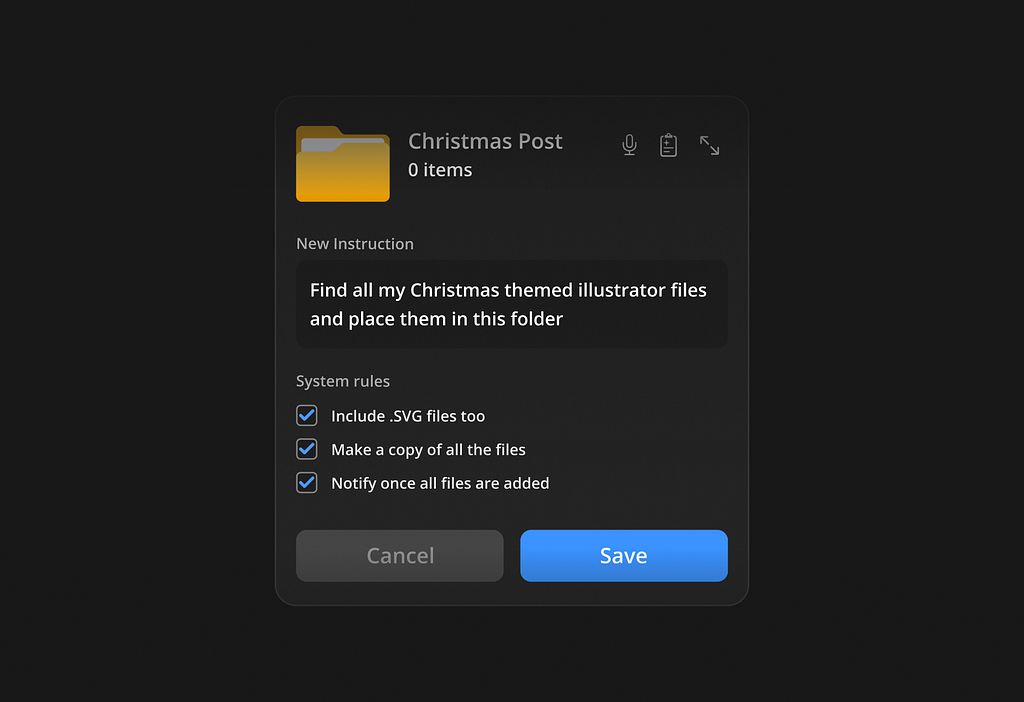
The simplest form is in-system file collation. Here, you ask the system to gather files that already exist locally on the device and bring them into a single folder. For example, collect all invoices from the Downloads folder, or move all college-related PDFs into an archive.
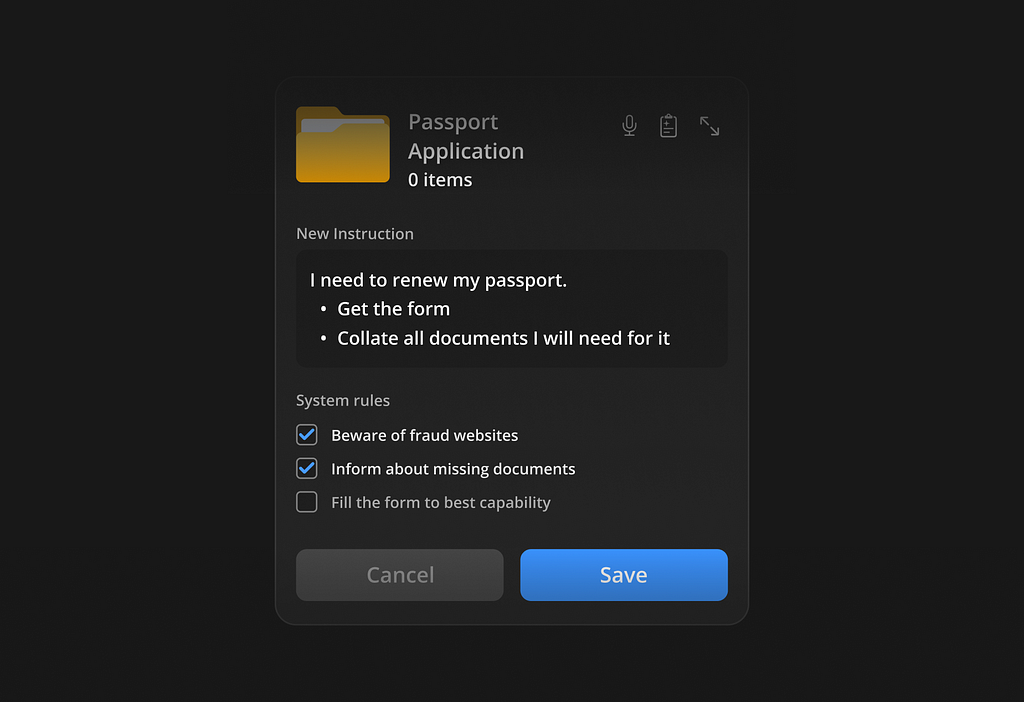
The second type of collation goes beyond the local system.
In some cases, completing a folder’s purpose requires the system to source files from outside. It might download documents from the web, pull attachments from email, and combine them with existing local files.
For example, preparing all documents needed for a passport renewal might involve downloading official forms, pulling identity proofs from local folders, and collating everything into one place. This is different from the first type because the system is not just organising. It is actively sourcing and creating the collection.
You might have observed ‘System rules’. It is an important layer that supports this feature. Every time a user creates a folder instruction, the system generates a set of supporting rules. These are not written by the user. They are generated by the system to make sure the instruction runs smoothly with all set considerations.
Some are turned on by default, while others are optional. The user can review them, turn them on or off, and decide how strict or flexible the system should be. This becomes important because folder instructions are not one-time actions. They are ongoing behaviours, and these rules help in waterproofing the instructions.
02. OS-level instruction
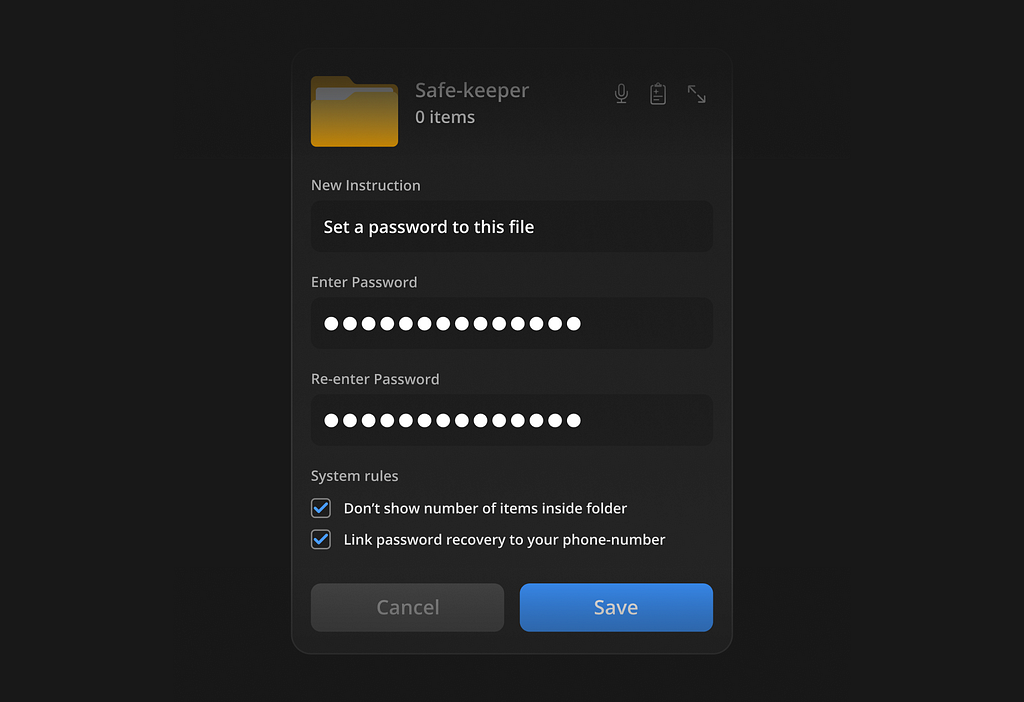
These define how a folder behaves within the system. They are not about the files inside the folder, but about the folder itself. For example, making a folder password-protected, hiding it from search, or setting rules like auto-deleting files after a certain period. When a user adds such an instruction, the system adapts the interface. If a folder is set to be private, the instruction panel can prompt the user to set a password. Additional fields or controls can appear as required. This turns the folder into something more than storage. It becomes a controlled environment.
03. Action instructions
Here, things get a little fuzzy and interesting as Action Instructions take complete advantage of an Agentic AI system.
These define how the folder should handle its files. Instead of just collecting or storing, the folder actively performs tasks. For example, sending every file added to a specific person, summarising all PDFs added into the folder & creating a new ‘_summary.pdf’ document, or renaming files based on a pattern.
These actions can apply to both existing files and new files added in the future. This is where the system becomes continuous. The folder is no longer static. It is always working in the background. A dormant entity, ready to fire on a trigger!
Specimen A
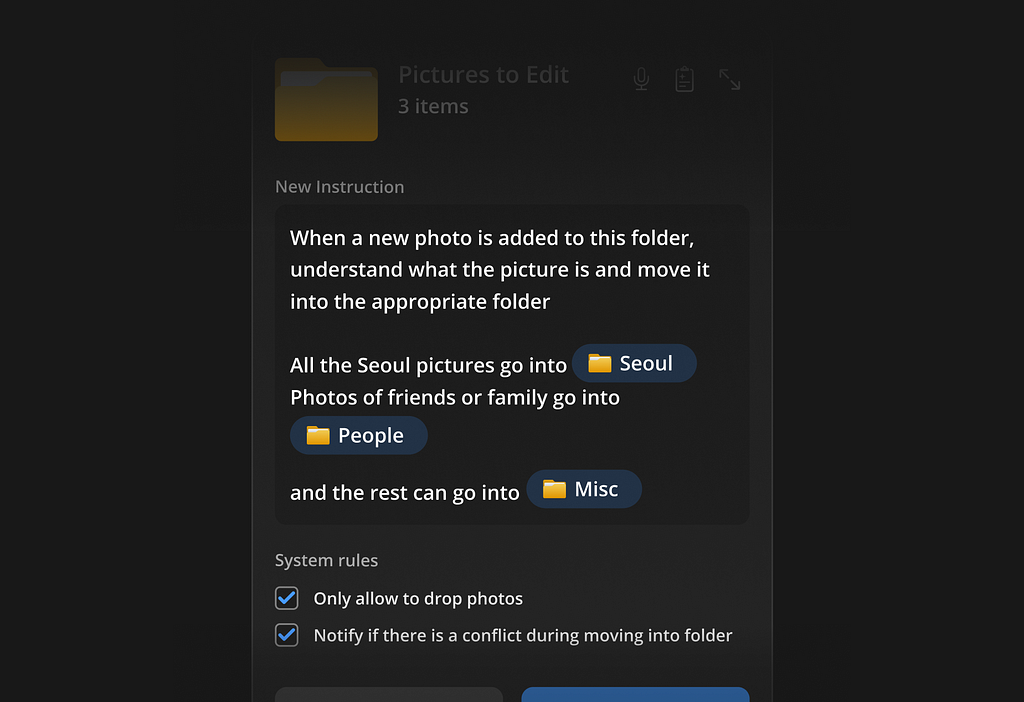
Starting with something simple, an instruction that sorts existing photos within a folder and continues to apply the same logic to any new files added to it.
‘Only allow photo files to be added’ acts as an interesting system-generated rule. While the primary instruction is an Action Instruction, the system derives an OS-level behaviour from it, showing how instructions can extend beyond their original scope.
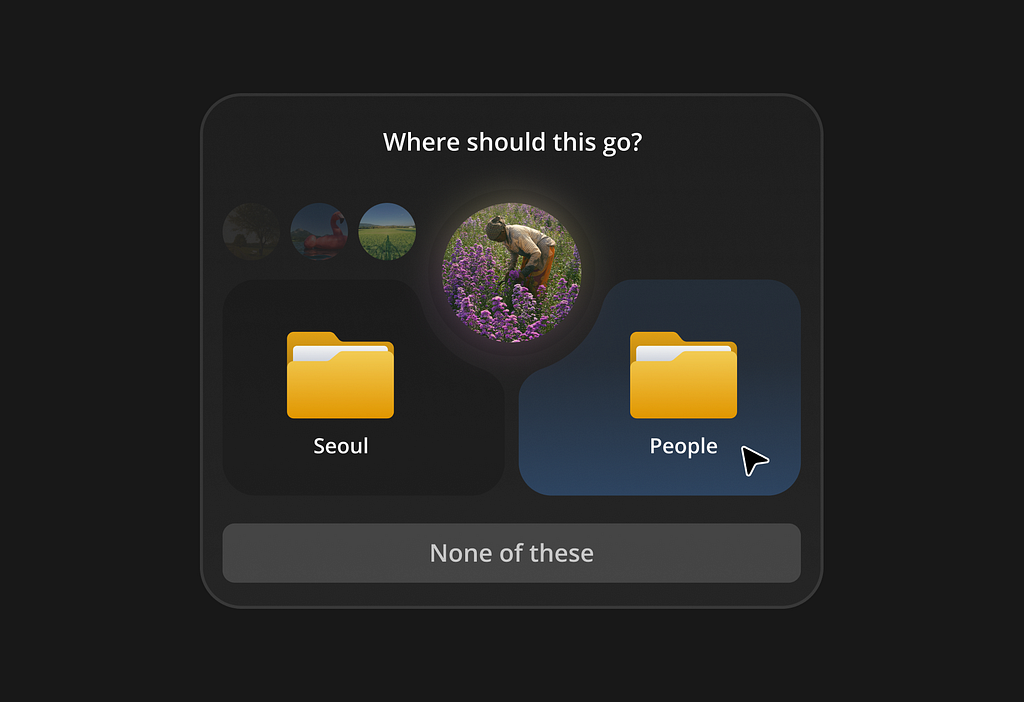
The system could generate a UI to overcome delimaes, uncertain sitations & system conlicts.
Specimen B
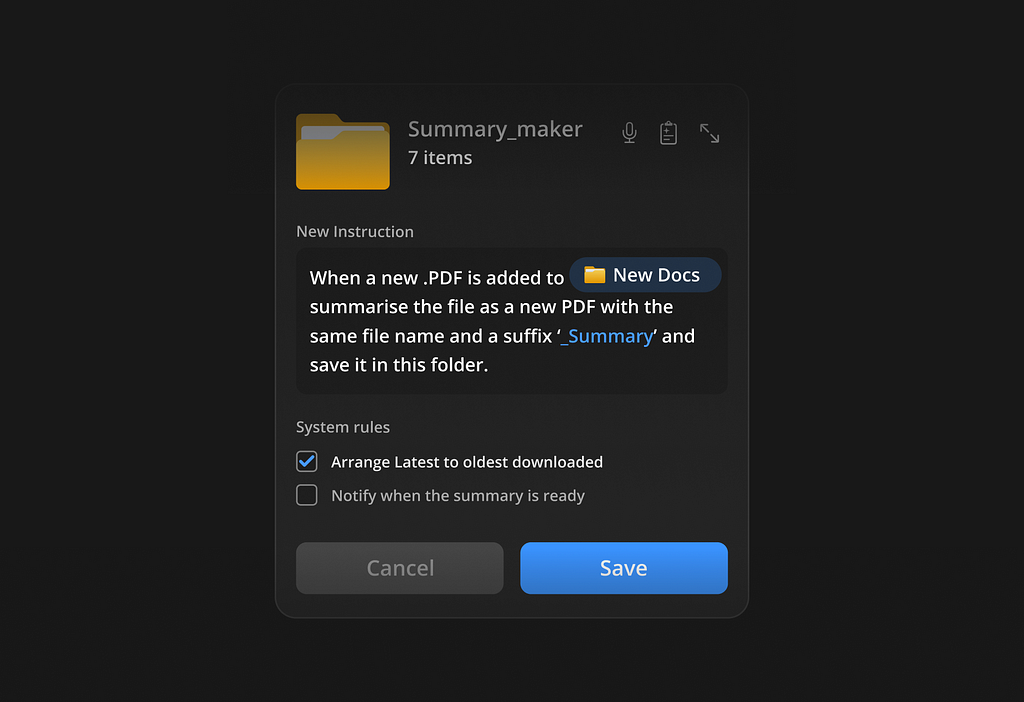
Here, the system monitors another folder named ‘New Docs’. Whenever a new file in the required format is added there, a summarised version of that file is automatically created and added to the current folder, with a “_summary” suffix.
Specimen C
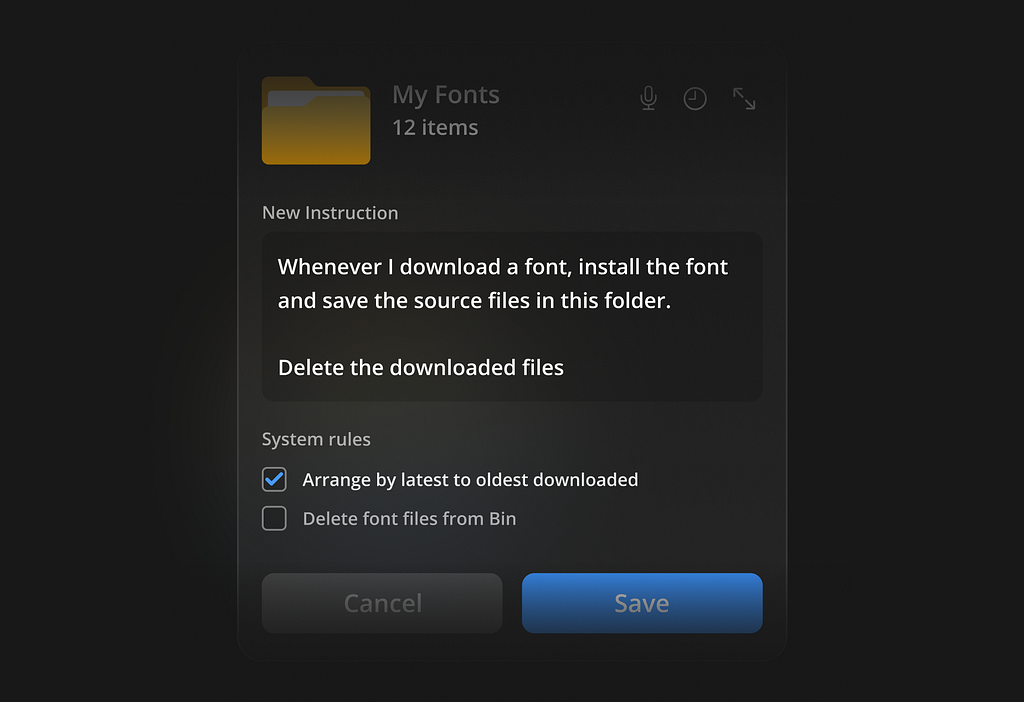
Here, the system monitors the ‘Downloads’ folder for any font files being added. When that condition is met, it executes the defined instruction.
An important detail to notice is that while this instruction is assigned to the ‘My Fonts’ folder, the actual operation happens at a system level. ‘My Fonts’ acts as the destination, but the trigger and action are performed on the “Downloads” folder.
Specimen D
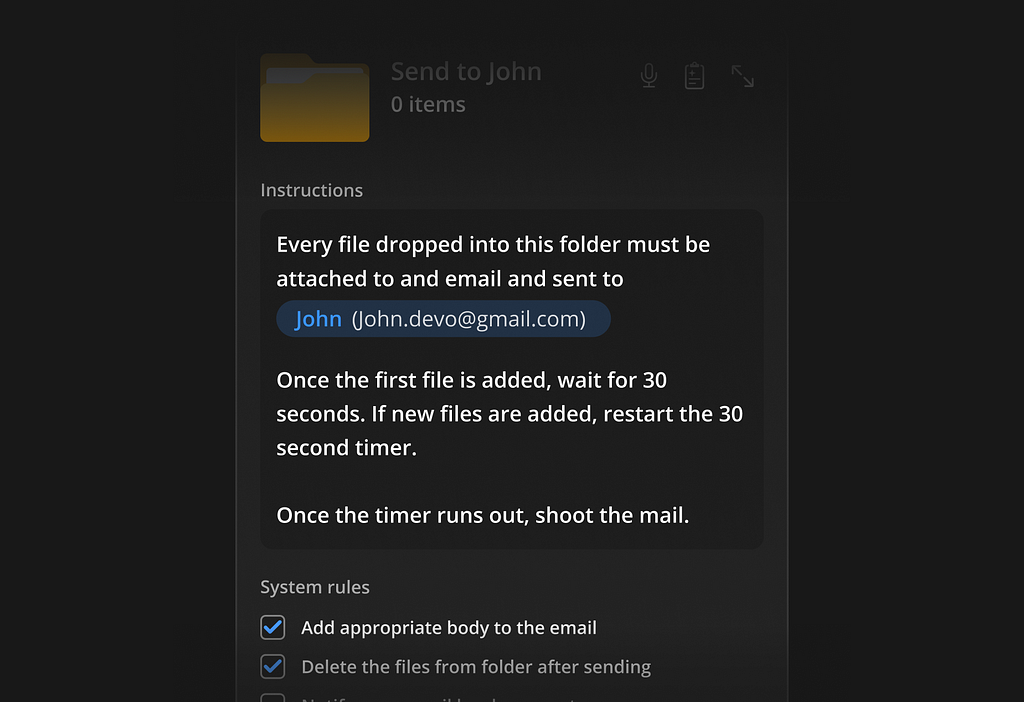
Instructions are becoming a little complex now!
Here, the folder is instructed to send any newly added files to a particular recipient. A logic is also mentioned.
Pay close attention to the second system rule: ‘Delete the files from the folder after sending’. To keep the folder ready for the next transfer, it performs this action of deleting the sent files.
This makes the folder act like a portal.
Specimen E
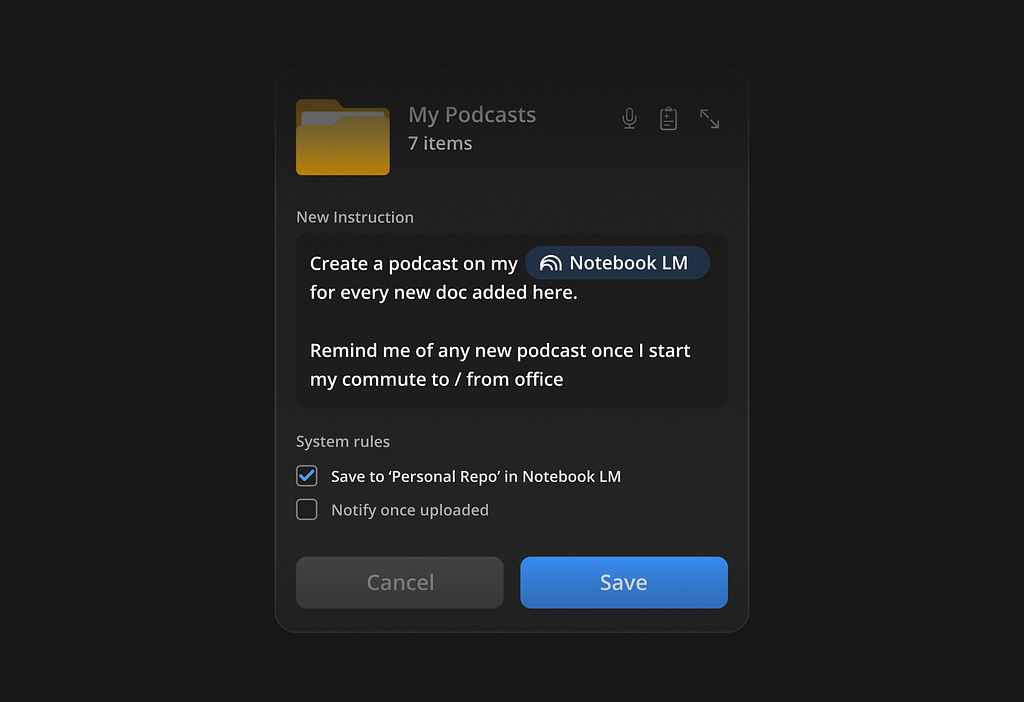
Finally, we reach the cross-app realm!
This instruction is not limited to a single app. It extends across devices and services, creating a connected experience. It can engage touchpoints like Google Maps, Apple CarPlay / Android Auto, and NotebookLM.
Instructions like these are designed for more advanced users who have a clear understanding of the workflows they want to build.
With such a feature, a folder is no longer just a place where files live. It has a defined purpose, a set of instructions, and system-generated rules that support those instructions. It can act over time. It starts to behave less like a container and more like a ‘system’, which can enable workflows.
And more importantly, it removes the need to constantly translate intent into prompts. It also removes the need to manually maintain a folder system to keep the purpose.
Additionally, you do not have to open a chat interface every time you want something done. You define the behaviour once, in the context where it matters, and the system takes care of the rest. It brings interaction closer to where the work is actually happening.
If AI systems are moving towards being agents, then interfaces like this start to make more sense. Not everything needs to be a long conversation.
Some things can just be ‘a’ conversation!
Some things can just be set.
And maybe that is the shift.
Consideration
There are a few important technical considerations around an idea like this. Systems like these can be computationally expensive, as they introduce an additional load that needs to handle instructions at event-based or trigger-based moments. It is not just about running an instruction once, but continuously monitoring and acting when conditions are met.
Building this out properly would also require improvements in on-device capability, especially when it comes to handling higher computational tasks locally.
Would love to hear your thoughts on this and have a more open, constructive discussion around it. I’m especially curious to know what kind of instructions you would set if you had a feature like this.
References to topics in this article
- Claude Code Overver: https://code.claude.com/docs/en/overview
- Anthropic’s Claude Cowork is an AI Agent that actually works by REECE ROGERS [WIRED]: https://www.wired.com/story/anthropic-claude-cowork-agent/
- Claude vs Claude Code vs Cowork — Which one do you actually need by Yunus Emre Salcan: https://medium.com/@yunusemresalcan/claude-vs-claude-code-vs-cowork-which-one-do-you-actually-need-66d3952a2eb4
- Overcoming the challenges of deploying on-device AI by StJohn Deakins: https://aijourn.com/overcoming-the-challenges-of-deploying-on-device-ai/
Folder instructions — Instructions for system-level AI was originally published in UX Collective on Medium, where people are continuing the conversation by highlighting and responding to this story.