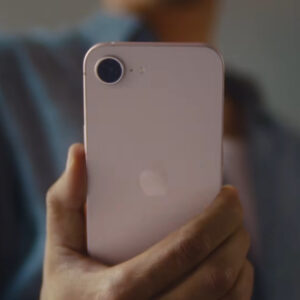
This week was a big one for Apple. The company announced a slew of new products, including the “affordable” iPhone 17e, the M4 iPad Air, M5 series MacBooks, and, of course, the low-cost MacBook Neo. That’s a jam-packed list of updates affecting most of Apple’s product lineup.
Amid all the hullabaloo, however, Apple quietly issued a small update for its lineup of products—notably, for the iPhone. iOS 26.3.1 is the latest version of Apple’s iPhone OS, and comes just three weeks after the release of iOS 26.3. Keen observers will note that the 0.0.1 updates are usually pretty minor, and 26.3.1 is no exception. There are no new features here like you’d expect from a 26.3 update (in fact, Apple is saving those for iOS 26.4). Instead, this update adds support for Apple’s new Studio Display and Studio Display XDR monitors, which are currently available to preorder, and smooths out the rough edges of iOS, patching bugs and fixing glitches that weren’t fixed with the last update.
What are those bug fixes, you ask? Good question. Apple is being pretty cagey with this latest update, and isn’t saying much outside of acknowledging the existence of bug fixes in general. The company didn’t even issue proper security notes for 26.3.1, but does list these updates on its security release site. That could mean a couple of things: Either there aren’t any major CVE (Common Vulnerabilities and Exposures) entries to note here, or there aren’t any Apple is comfortable disclosing at this time. If there are security vulnerabilities that Apple wants to patch without cluing in bad actors, they might quietly ship a security update without noting them. Of course, that’s pure speculation since we don’t have the notes here, so there may be no major patches to note here.
iOS 26.3.1 isn’t the only update Apple released, either. According to Apple’s security site, the company also shipped macOS 26.3.1, as well as iOS 18.7.6. Interestingly, Apple released visionOS 26.3.1 on Feb. 26. If there are any security patches in this 26.3.1 series, the company addressed them on Vision Pro ahead of iPhone, iPad, and Mac.
How to install iOS 26.3.1
To update your iPhone, open Settings, then head to General > Software Update. Here, wait for iOS to load, then follow the on-screen instructions to download and install iOS 26.3.1.