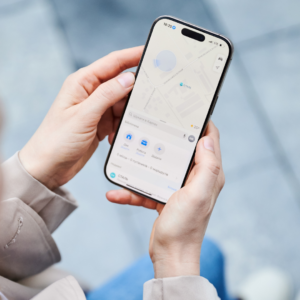
Some iOS users are getting an extra layer of privacy when it comes to how their location data is shared. Limit Precise Location is a new setting that prevents some Apple devices from broadcasting specific locations to cell carriers.
Precise location sharing is useful, even essential, in some cases, such as when you’re navigating with your maps app. But you may not want to constantly be sending your exact address to your phone provider, where it could be used for malicious purposes. If you enable Limit Precise Location, your iOS device will share your general area instead.
Precise location sharing comes with privacy risks
As TechCrunch points out, precise location sharing introduces a whole host of privacy and security risks. Cell carriers have been targeted by hackers, compromising sensitive customer data. Surveillance vendors and law enforcement agencies may also use location information broadcast via cellular networks for the purposes of real-time and ongoing tracking.
Users already have the option to disable precise location sharing at the app level on both iOS and Android for apps that don’t need GPS coordinates to function—which is most of them. This allows you to prevent companies from receiving (and selling) your exact location data when a general location is sufficient. Limit Precise Location won’t change these app-specific settings.
For now, the feature is available only on select Apple models—the iPhone Air, iPhone 16e, and iPad Pro (M5) Wi-Fi + Cellular—running iOS 26.3 with a limited number of global carriers:
-
U.S.: Boost Mobile
-
UK: EE, BT
-
Germany: Telekom
-
Thailand: AIS, True
Apple says that even with this setting enabled, emergency responders will still be able to pinpoint exact location during an emergency call.
How to disable precise location sharing
If you have a supported device with a partner carrier, go to Settings > Cellular and tap Cellular Data Options (you may need to select the specific line under SIMs if you have more than one). Scroll down and toggle Limit Precise Location sharing off.