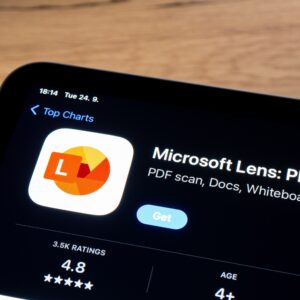
Nothing lasts forever. Devices lose support, standards are replaced, and software becomes obsolete. So it is with Microsoft Lens, whose days are numbered. Keen observers have known about this since August, when Microsoft first announced that Lens would be retired in September and removed from app stores in November. That obviously didn’t happen, as the company adjusted the deadline to Dec. 15, which also came and went. Microsoft kicked the retirement can down the road—that is, until now.
Microsoft Lens was Microsoft’s solution for anyone in the mid-2010s who didn’t own a scanner. Rather than buy an expensive piece of hardware to digitize documents, Lens allowed people to use their smartphone camera to turn those hard copies into digital files. It was hardly the only document scanner available on app stores (Apple’s Notes app has had the function built in since iOS 11), but because it was made by Microsoft, it was a good solution for getting files into Microsoft apps like Word, PowerPoint, or Excel. It’s also free and compatible with both Android and iOS, making the app universally accessible. We even listed it first in our roundup of the best document scanner apps from 2021.
According to the app’s support document, Microsoft Lens officially began retirement proceedings on Jan. 9. That doesn’t mean the app is dead, though: Microsoft will still support it until Feb. 9. After that, the app will receive no updates, and Microsoft will remove it from app stores. (If you’re passionate or curious about Microsoft Lens, make sure to install it before then.) No matter what, however, you’ll only have another month to use it. As of March 9, you will no longer be able to create new scans in Lens, but you’ll still be able to view your previous scans as long as the app remains on your device.
The best alternatives to Microsoft Lens
Once we settle into mid-March, Microsoft Lens users will need to choose an alternative scanning app. Fortunately, there are plenty of options on app stores to choose from. In fact, you might not need to download anything new at all: As mentioned above, iPhone users can tap into the Notes app’s built-in scanner, while Google Drive users can do the same.
Microsoft, of course, wants you to stay within the ecosystem, so they’d prefer you use OneDrive’s built-in scanner. If you already have that app on your phone, it might be as good an option as any. However, there are popular, dedicated apps, like Genius Scan, Adobe Scan, and Photomyne, that offer additional features not available in built-in scanners.